This free study guide covers the AWS Certified Cloud Practitioner exam, code CLF-C02, the foundational certification in the AWS lineup. It follows AWS’s official CLF-C02 exam guide domain by domain and task statement by task statement, in the same order, and explains each one in plain English: what the terms mean, how similar services differ, and when each one applies.
The test details in the first section come from two AWS pages: the CLF-C02 exam guide (version 1.3, published October 29, 2026) and the AWS Certified Cloud Practitioner exam page. Every service description after that links to the AWS documentation page it comes from. AWS pricing changes often, so this guide explains how each pricing model works and never quotes a price.
For a shorter tour of the exam guide itself, with its four domains and 19 task statements, see the CLF-C02 exam guide explained.
In this guide
AWS Cloud Practitioner (CLF-C02) at a glance
| Exam code | CLF-C02 |
|---|---|
| Level | Foundational |
| Questions | 65 in total: 50 scored and 15 unscored, and the unscored ones are not marked |
| Question types | Multiple choice (one correct answer and three distractors) and multiple response (two or more correct answers among five or more options) |
| Time | 90 minutes |
| Passing score | 700 on a scaled score from 100 to 1,000 |
| Scoring model | Compensatory: the exam is passed or failed as a whole |
| Blank answers | Counted as wrong, and a wrong answer costs nothing extra, so a guess beats a blank |
| Delivery | Pearson VUE test center or online proctored |
| Languages | 12: Arabic, English, French (France), German, Italian, Japanese, Korean, Portuguese (Brazil), Spanish (Latin America), Spanish (Spain), Simplified Chinese and Traditional Chinese |
| Recommended experience | Up to 6 months of exposure to the AWS Cloud, which AWS says is not required |
| Certification valid for | 3 years |
| Exam guide version | 1.3, published October 29, 2026 |
Two notes from the exam page: the Italian and German versions of the exam retire after December 31, 2026, and the current exam fee is listed there with a link to AWS’s exam pricing details. AWS also says it publishes exam guide updates roughly one month before they reach the exam, so it pays to check the guide’s version shortly before test day.
The exam guide also names five kinds of work that sit outside the exam: writing code, designing cloud architecture, troubleshooting, implementation, and load and performance testing. The exam stays at the level of concepts, value and choosing the right service for a need.
What’s changing
Checked against AWS’s pages on November 15, 2026.
- October 29, 2026: AWS published version 1.3 of the CLF-C02 exam guide. AWS says exam guide updates are published “approximately one month before updates will be reflected on your exam” (AWS).
- After December 31, 2026: the Italian and German versions of the exam retire (AWS).
No new exam version or retirement date for CLF-C02 has been announced.
For every upcoming exam date, see the IT certification exam calendar.
How to use this guide
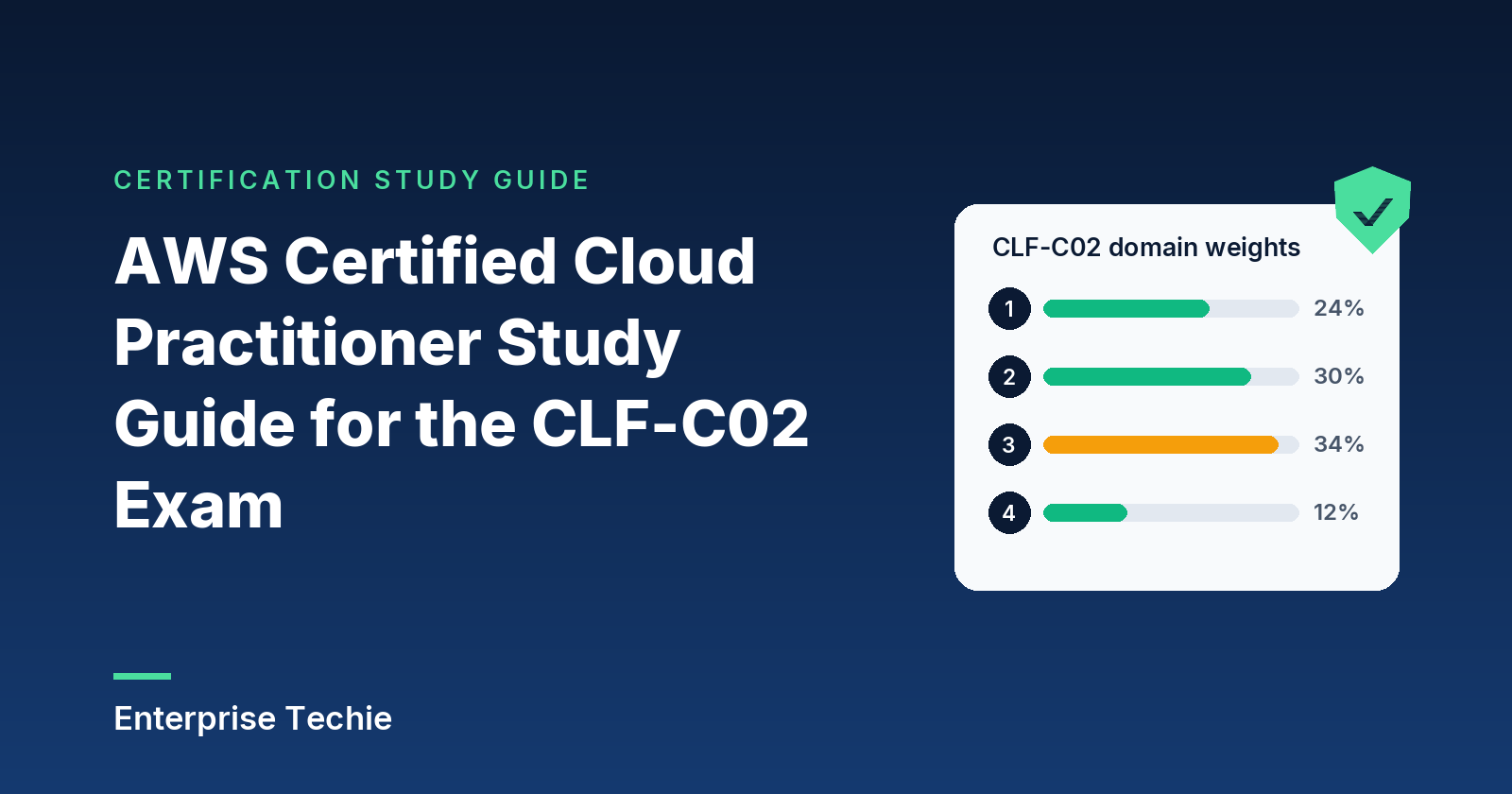
AWS splits the scored content into four domains and breaks each domain into task statements. Each domain below gets its own section, sized roughly by its weight, and each task statement gets its own heading with AWS’s number.
| Domain | Share of scored content | Task statements |
|---|---|---|
| 1 Cloud Concepts | 24% | 4 |
| 2 Security and Compliance | 30% | 4 |
| 3 Cloud Technology and Services | 34% | 8 |
| 4 Billing, Pricing, and Support | 12% | 3 |
| Total | 100% | 19 |
Domain 3 is the largest at 34 percent, and most of its task statements ask candidates to recognize which AWS service fits a need. Domains 2 and 3 together make up 64 percent of the scored content. Many sections below include a table that maps needs to services, because that is the skill the task statements describe.
For a one-page summary of the exam guide, read the CLF-C02 exam guide explained. To test yourself as you go, the free practice questions cover every domain.
Domain 1: Cloud Concepts (24%)
Why organizations use the cloud, how AWS says to design for it, how they move to it, and how its costs behave. Four task statements.
1.1 Benefits of the AWS Cloud
AWS sums up the value of cloud computing as six advantages in its Overview of Amazon Web Services whitepaper. The exam uses this vocabulary, so learn each one by name.
| Advantage | What it means |
|---|---|
| Trade fixed expense for variable expense | Pay only when computing resources are used, and only for the amount used, instead of investing in data centers and servers before knowing how they will be used. |
| Benefit from massive economies of scale | Usage from a very large number of customers is pooled, so the provider runs at a scale that brings pay-as-you-go prices down. |
| Stop guessing capacity | Use as much or as little capacity as needed and scale up or down with minutes of notice, instead of buying for a forecast and ending up with idle or too little capacity. |
| Increase speed and agility | New resources are a click away, so getting them to developers takes minutes instead of weeks, and experiments cost less. |
| Stop spending money running and maintaining data centers | Put effort into customers and products instead of racking, stacking and powering servers. |
| Go global in minutes | Deploy an application in multiple Regions with a few clicks to give users around the world lower latency. |
The task statement also names three properties worth defining precisely:
- High availability means a workload keeps running when part of it fails. On AWS that usually means spreading resources across Availability Zones, which AWS engineers to be isolated from failures in other zones, as the Amazon RDS documentation explains.
- Elasticity means capacity grows and shrinks with demand. Amazon EC2 Auto Scaling adds or removes instances according to conditions that you define, which is the classic AWS example.
- Agility is the speed advantage above: resources in minutes rather than weeks, which lowers the cost and time of trying new ideas.
Global infrastructure adds two more benefits: speed of deployment, because a new environment is a few clicks away, and global reach, because the same application can run close to users in many Regions.
Exam tip: “trade fixed expense for variable expense” is about how you pay (as you go, for what you use), while “economies of scale” is about why the price is lower (AWS pools demand from many customers). A scenario about avoiding upfront hardware spending describes the first; one about lower unit prices describes the second.
1.2 Design principles: the AWS Well-Architected Framework
The AWS Well-Architected Framework is AWS’s collection of architectural best practices for designing and operating workloads in the cloud. It is organized as six pillars and provides a consistent way to measure an architecture against those practices and find areas to improve. AWS describes a review as a constructive conversation about architectural decisions.
| Pillar | Focus, as AWS describes it | The question it asks |
|---|---|---|
| Operational excellence | Running and monitoring systems | Can the team run, observe and improve the workload? |
| Security | Protecting information and systems | Are data and systems protected? |
| Reliability | Workloads performing their intended functions | Does the workload keep doing its job when something goes wrong? |
| Performance efficiency | Structured and streamlined allocation of IT and computing resources | Are the right resources in use, used efficiently? |
| Cost optimization | Avoiding unnecessary costs | Is anything being paid for that is not needed? |
| Sustainability | Minimizing the environmental impacts of running cloud workloads | Is the environmental footprint as small as it can be? |
The pillar descriptions come from AWS’s Well-Architected page. To apply the framework, AWS offers the AWS Well-Architected Tool in the AWS Management Console at no charge: define a workload, answer questions for each pillar, and get a plan based on the answers.
Exam tip: reliability and performance efficiency are the easiest pair to confuse. Reliability is about the workload continuing to work through failures; performance efficiency is about using computing resources efficiently. Cost optimization and sustainability both reward using less, but one measures money and the other environmental impact.
1.3 Migration to the AWS Cloud: benefits and strategies
The AWS Cloud Adoption Framework (AWS CAF) packages AWS’s experience into guidance for a cloud transformation: identify and prioritize opportunities, assess and improve cloud readiness, and evolve a roadmap step by step. Its product page lists four business outcomes:
- Reduce business risk through better reliability, performance and security.
- Improve environmental, social, and governance (ESG) performance by using insights to improve sustainability and corporate transparency.
- Grow revenue with new products and services, new customers and new market segments. The exam guide calls this increased revenue.
- Increase operational efficiency by lowering operating costs and improving productivity and employee and customer experience.
AWS CAF groups its capabilities into six perspectives, each owned by a different set of stakeholders:
| Perspective | What it helps with |
|---|---|
| Business | Making cloud investments speed up digital transformation and business outcomes (CEO, CFO, CIO, CTO) |
| People | Bridging business and technology: culture, organizational structure, leadership and workforce |
| Governance | Orchestrating cloud initiatives while maximizing benefits and minimizing transformation risk |
| Platform | Building a scalable hybrid cloud platform, modernizing workloads and adding cloud-native solutions |
| Security | Confidentiality, integrity and availability of data and cloud workloads (CISO, security architects) |
| Operations | Delivering cloud services at the level the business needs (site reliability engineers, IT service managers) |
AWS CAF also describes a transformation journey in four iterative phases: Envision (show how cloud will speed up business outcomes and pick opportunities), Align (find capability gaps across the six perspectives and align stakeholders), Launch (deliver pilots in production and show value) and Scale (expand those pilots to the scale the business needs).
The migration strategy for each workload comes from the 7 Rs in AWS Prescriptive Guidance:
| Strategy | Also called | What happens to the application |
|---|---|---|
| Retire | Decommissioned or archived | |
| Retain | Kept in the source environment, possibly migrated later | |
| Rehost | Lift and shift | Moved to AWS without changes |
| Relocate | Servers moved to a cloud version of the same platform, or resources moved to another VPC, Region or account, without changing the architecture | |
| Repurchase | Drop and shop | Replaced by a different product or version, often SaaS |
| Replatform | Lift, tinker, and shift; lift and reshape | Moved with some optimization, such as a SQL Server database moved to Amazon RDS for SQL Server |
| Refactor or re-architect | Redesigned around cloud-native features; the most complex and costly strategy |
Migration services on the in-scope list: AWS Application Discovery Service collects configuration and usage data from on-premises servers; Migration Evaluator builds a data-driven business case; AWS Migration Hub tracks progress across tools; and AWS Application Migration Service (now listed by AWS as AWS Transform MGN) rehosts servers to run natively on AWS. Database replication with AWS DMS is covered in 3.4.
Exam tip: rehost changes nothing in the application, replatform makes a few targeted changes such as moving to a managed database, and refactor rebuilds the application for the cloud. Repurchase replaces it with a different product altogether.
1.4 Cloud economics
Fixed and variable costs. An on-premises data center is a fixed cost: hardware is bought up front for a forecast. The cloud turns that into a variable cost that follows actual use, which is AWS’s first advantage in 1.1.
On-premises costs. AWS’s Amazon RDS comparison lists what an on-premises owner handles alone: power, network and cooling, the hardware lifecycle, server maintenance, operating system patching, and database backups, patching, scaling and high availability. Managed services move many of those costs to AWS.
Licensing. Software licenses can come two ways. With license included, the license is part of the AWS service: in the RDS for Oracle License Included model, AWS holds the license and there is nothing to buy separately. With Bring Your Own License (BYOL), existing licenses are reused on AWS. EC2 Dedicated Hosts support per-socket, per-core and per-VM licenses, and AWS License Manager tracks licenses and enforces licensing rules.
Rightsizing means matching the type and size of a resource to what the workload actually needs. Over-provisioning wastes money and under-provisioning hurts performance, as AWS Compute Optimizer puts it; that service analyzes historical utilization with machine learning and recommends better-fitting EC2 instances, EBS volumes and Lambda functions.
Automation saves money by removing manual work and manual errors. AWS’s RDS documentation notes that manual operating system and database updates on EC2 can cause accidental downtime, and an AWS CloudFormation template provisions the same resources consistently every time it is used.
Economies of scale are the second advantage from 1.1: pooled demand lets AWS charge lower variable prices than most organizations could reach on their own.
Exam tip: rightsizing changes the size or type of a resource to fit the workload; elasticity, through Auto Scaling, changes the number of resources as demand moves. A workload can need both.
Domain 2: Security and Compliance (30%)
Who secures what, how compliance and monitoring work, how identities and permissions are managed, and which security services AWS offers. Four task statements in the second-largest domain.
2.1 The AWS shared responsibility model
Under the shared responsibility model, AWS handles security of the cloud and the customer handles security in the cloud. AWS protects the infrastructure that runs every AWS service: the hardware, software, networking and facilities. The customer’s share depends on which services the customer chooses.
With Amazon EC2, the customer manages the guest operating system (including updates and security patches), any software installed on the instances, and the configuration of the security group firewall. With abstracted services such as Amazon S3 and Amazon DynamoDB, AWS operates the infrastructure, the operating system and the platform, and customers use the service endpoints to store and retrieve data. On every service, customers manage their data, including encryption options, and use IAM to set permissions.
AWS sorts controls into three groups:
| Control type | Meaning | AWS’s examples |
|---|---|---|
| Inherited | The customer fully inherits the control from AWS | Physical and environmental controls |
| Shared | Applies to both the infrastructure layer and the customer layer, each party in its own context | Patch management (AWS patches the infrastructure, customers patch guest operating systems and applications), configuration management, awareness and training (each side trains its own employees) |
| Customer specific | Solely the customer’s, based on the application deployed | Service and communications protection, or zone security |
The split moves as services get more managed. This table comes from AWS’s Amazon RDS documentation, which compares a database on premises, on EC2 and on RDS:
| Task | On premises | Database on Amazon EC2 | Amazon RDS |
|---|---|---|---|
| Application optimization | Customer | Customer | Customer |
| Scaling and high availability | Customer | Customer | AWS |
| Database backups | Customer | Customer | AWS |
| Database software install and patching | Customer | Customer | AWS |
| Operating system install and patching | Customer | Customer | AWS |
| Server maintenance and hardware lifecycle | Customer | AWS | AWS |
| Power, network and cooling | Customer | AWS | AWS |
AWS’s service documentation adds that the customer’s share also depends on the sensitivity of the data, the company’s own requirements, and the laws and regulations that apply, as the Amazon RDS security chapter puts it.
With AWS Lambda, AWS goes further: it manages the underlying infrastructure, including server maintenance, capacity provisioning, scaling and patching, so the customer focuses on application logic, plus data and permissions as always.
Exam tip: the guest operating system is the dividing line to remember. On EC2 the customer patches it; on RDS and Lambda, AWS does. Data, encryption choices and IAM permissions stay with the customer on every service.
2.2 Security, governance, and compliance concepts
Where to find compliance information. AWS Artifact gives on-demand access to AWS’s security and compliance reports, such as Service Organization Control (SOC) and Payment Card Industry (PCI) reports, and to select online agreements such as the Business Associate Addendum (BAA). Third-party auditors regularly test the effectiveness of AWS’s security as part of AWS compliance programs, and Artifact is where those reports are published. Compliance needs differ by industry and country, and coverage differs by service: each service’s security documentation, for example Amazon RDS‘s, points to AWS’s list of services in scope by compliance program.
Encryption. Encryption at rest protects stored data; encryption in transit protects data moving over a network. Amazon RDS, for instance, encrypts DB instances and snapshots at rest with AES-256 and supports SSL/TLS connections in transit. The services behind most AWS encryption:
- AWS Key Management Service (AWS KMS) creates and manages cryptographic keys and controls their use across AWS services and applications. It protects keys with hardware security modules and logs key use in AWS CloudTrail.
- AWS CloudHSM provides dedicated, cloud-based hardware security modules for generating and using your own keys.
- AWS Certificate Manager (ACM) provisions, deploys and renews SSL/TLS certificates for services such as Elastic Load Balancing, Amazon CloudFront and Amazon API Gateway.
Logs and governance. Three services answer three different questions, all described in AWS’s management and governance overview:
| Service | What it records | The question it answers |
|---|---|---|
| Amazon CloudWatch | Metrics, logs and events from AWS resources, applications and on-premises servers, with alarms and automated actions | How is it performing right now? |
| AWS CloudTrail | AWS API calls: the caller’s identity, the time, the source IP address, the request parameters and the response | Who did what, and when? |
| AWS Config | An inventory of resources, their configuration history and change notifications, with rules that check configurations | What changed, and is it still compliant? |
Access reporting rounds this out: IAM’s last accessed information shows users, roles, permissions, policies and credentials that are no longer used, so they can be removed. The services that actively protect resources, such as Amazon Inspector, Amazon GuardDuty, AWS Security Hub and AWS Shield, are covered in 2.4.
Exam tip: CloudTrail records API activity (who did what), CloudWatch tracks performance and operational data, and Config tracks how resource configurations change over time. Artifact is where AWS’s own compliance reports live.
2.3 AWS access management capabilities
AWS Identity and Access Management (IAM) controls who can use which AWS services and resources, and under which conditions. New IAM users, groups and roles start with no permissions; permissions come from attached policies that state which actions are allowed on which resources.
| Identity | What it is | Credentials |
|---|---|---|
| Root user | The identity created with the account, with complete access to all AWS services and resources in it | The account’s email address and password |
| IAM user | An identity for one person or workload in the account | Long-term: a password, access keys or both |
| IAM user group | A collection of IAM users; a policy attached to the group applies to every member | None of its own; a group cannot be a principal |
| IAM role | An identity that users, AWS services or other accounts assume to get delegated access | Temporary security credentials |
| IAM Identity Center user | A workforce user managed centrally across the accounts in AWS Organizations | Sign-in through a user portal, with Identity Center or existing corporate credentials |
Sources: AWS’s root user, user groups and root user best practices pages.
Policies and least privilege. AWS’s IAM best practices say to grant only the permissions a task requires, which is the principle of least privilege. AWS managed policies cover common use cases and are a good start, but because every customer can use them they may grant more than a given use case needs. Customer managed policies are written for a specific use case and can narrow permissions further.
Protecting the root user. AWS strongly recommends against using the root user for everyday work. Instead, create an administrative user and keep the root user for the few tasks that require it. The root user best practices are: a strong, unique password; multi-factor authentication (MFA), which every account type now requires for the root user; no access keys for the root user; a group email address; multi-person approval where possible; and monitoring of root sign-ins. The root user can register up to eight MFA devices, including FIDO security keys, hardware TOTP tokens and virtual authenticator apps.
Tasks that need root user credentials include:
- Changing the root email address, root password or root access keys of a standalone account, and closing or reopening a standalone account.
- Restoring IAM permissions when the only IAM administrator has revoked their own.
- Activating IAM access to the Billing and Cost Management console.
- Registering as a seller in the Reserved Instance Marketplace.
- Configuring an Amazon S3 bucket for MFA, and editing or deleting an S3 bucket policy or SQS queue policy that denies all principals.
- Signing up for AWS GovCloud (US).
Passwords, access keys and stored secrets. An account can set a custom password policy for IAM users with complexity rules and mandatory rotation; it does not apply to the root user. Access keys are long-term credentials for the AWS CLI and SDKs; AWS prefers temporary credentials and says to update long-term keys when needed, such as when an employee leaves. AWS Secrets Manager stores, rotates and retrieves database credentials, API keys and other secrets so applications do not need to hardcode them. The Parameter Store in AWS Systems Manager is an encrypted location for values such as passwords and database strings.
Authentication and federation. Beyond passwords, AWS authentication options include MFA, sign-in through AWS IAM Identity Center, and cross-account IAM roles. In federation, people sign in with an external identity provider and receive temporary credentials by assuming roles. For workforce access across many accounts, AWS recommends IAM Identity Center, which centrally manages access to all accounts in AWS Organizations and supports SAML 2.0 applications.
Exam tip: a user group is only a way to attach permissions to many users at once; it cannot sign in or be assumed. A role is assumed to get temporary credentials, by a user, an AWS service or another account.
2.4 Security components and resources
These services make up most of AWS’s security toolkit at this level. Descriptions come from AWS’s security, identity, and compliance overview unless noted.
| Service | What it does |
|---|---|
| AWS WAF | Web application firewall: rules that block common web exploits such as SQL injection and cross-site scripting, and control bot traffic |
| AWS Shield | Managed DDoS protection. Shield Standard protects all AWS customers automatically at no additional charge against common network and transport layer attacks. Shield Advanced adds protection against larger attacks, near real-time visibility, 24×7 access to the AWS DDoS Response Team, and protection against DDoS-related charge spikes |
| AWS Firewall Manager | Central configuration of firewall rules across accounts and applications in AWS Organizations |
| Amazon GuardDuty | Threat detection that continuously monitors for malicious activity and anomalous behavior, such as unusual API calls or exfiltrated credentials |
| Amazon Inspector | Automated vulnerability management that scans EC2 instances and container images in Amazon ECR for software vulnerabilities and unintended network exposure |
| AWS Security Hub | Automated security best practice checks against standards such as AWS Foundational Security Best Practices, plus one view of findings from GuardDuty, Inspector, Macie and partner products. AWS documents these posture checks as Security Hub CSPM |
| Amazon Detective | Investigation of the root cause of findings, using sources such as VPC Flow Logs, CloudTrail and GuardDuty |
| Amazon Macie | Discovery of sensitive data, such as personally identifiable information, in Amazon S3 |
| Amazon Cognito | Sign-up, sign-in and access control for web and mobile app users |
| AWS Directory Service | Managed Microsoft Active Directory |
| AWS Resource Access Manager | Sharing resources such as subnets across accounts |
How the detection services fit together. GuardDuty, Inspector and Macie each produce findings: suspicious activity, software vulnerabilities and exposed sensitive data. Security Hub collects those findings in one standard format and scores accounts against best practice standards. When a finding needs a deeper look, Detective links the underlying log data so analysts can trace the root cause. Shield Standard, combined with Amazon CloudFront and Amazon Route 53, protects against known infrastructure (layer 3 and 4) attacks.
Third-party products. AWS Marketplace is a curated catalog of third-party software, data and services, with security among its main categories, and purchases appear on the AWS bill.
Where AWS publishes security information. The AWS Security Blog; the AWS Cloud Security site, with learning resources, security training and AWS’s vulnerability reporting process; and the AWS Knowledge Center, which AWS now hosts on re:Post. AWS Trusted Advisor also flags security issues, for example a root user without MFA.
Exam tip: WAF filters web requests by their content (SQL injection, cross-site scripting); Shield absorbs DDoS floods. GuardDuty detects threats in account activity, while Inspector finds vulnerabilities in software and network exposure.
Domain 3: Cloud Technology and Services (34%)
The largest domain, with eight task statements: how to deploy and operate, the global infrastructure, then compute, databases, networking, storage, AI and analytics, and a set of other service categories. The exam guide’s in-scope service list spans 19 categories and is worth reading line by line alongside this section.
3.1 Ways to deploy and operate in the AWS Cloud
| Method | What it is | Fits |
|---|---|---|
| AWS Management Console | A web-based interface for managing AWS | One-time tasks, exploring a service |
| AWS CLI | An open source tool for running AWS commands in a command-line shell, and for scripting | Repeatable tasks and scripts |
| AWS SDKs | Language libraries that handle authentication, retries and error handling | Applications that call AWS |
| APIs | Direct programmatic access to each service; the CLI and SDKs call them | Custom integrations |
| Infrastructure as code (AWS CloudFormation) | A template describes resources; CloudFormation creates them as a stack, the same way every time | Repeatable, version-controlled environments |
One-time operations versus repeatable processes comes down to this table: a single change can go through the console, while anything repeated belongs in a script or a version-controlled template.
Deployment models, as AWS’s types of cloud computing page defines them:
- Cloud: every part of the application runs in the cloud, whether it was built there or migrated.
- Hybrid: cloud resources are connected to existing resources that are not in the cloud, most often on-premises infrastructure.
- On-premises (private cloud): resources in an organization’s own data center, using virtualization tools, with dedicated resources but few cloud benefits.
AWS also describes three service models. Infrastructure as a Service (IaaS) provides the basic building blocks, such as networking, computers and storage. Platform as a Service (PaaS) removes the need to manage the underlying infrastructure. Software as a Service (SaaS) delivers an application run and managed by the vendor.
Exam tip: hybrid means cloud and on-premises resources connected and working together. On AWS’s page, “private cloud” means on-premises virtualization, while Amazon VPC is a logically isolated virtual network inside the AWS Cloud.
3.2 The AWS global infrastructure
| Component | What it is |
|---|---|
| Region | A geographic location where AWS clusters data centers. Public Regions have at least three Availability Zones and are isolated from one another, and data stays in a Region unless it is replicated or copied out |
| Availability Zone (AZ) | One or more discrete data centers with redundant power, networking and connectivity. AZs in a Region are physically separated by many kilometers but sit within 100 km (60 miles) of each other, linked by high-bandwidth, low-latency networking |
| Edge location | A site in CloudFront’s worldwide network of data centers, also called a point of presence, where content is cached close to viewers |
| Local Zone | An extension of a Region that runs latency-sensitive applications closer to end users |
High availability with AZs. Each AZ is engineered to be isolated from failures in the others, so running a workload in two or more AZs protects it from the loss of one location. Elastic Load Balancing spreads traffic across AZs, an RDS Multi-AZ deployment keeps a standby in another AZ, and S3 Standard stores data in at least three AZs.
When to use more than one Region. Regions are isolated and data does not leave a Region on its own, which supports data sovereignty. A second Region adds disaster recovery and business continuity (RDS can replicate to a standby in another Region) and lower latency for distant users.
Exam tip: multiple AZs give high availability inside one Region; multiple Regions address disaster recovery, data sovereignty and global latency. Edge locations cache and deliver content near users through CloudFront.
3.3 Compute services
Amazon EC2 provides secure, resizable compute capacity: virtual servers called instances. Instance types are grouped into families by what they are built for, listed on the EC2 instance types page:
| Family | Built for |
|---|---|
| General purpose | A balance of compute, memory and networking for many workloads |
| Compute optimized | Compute-bound applications that benefit from high-performance processors |
| Memory optimized | Workloads that process large data sets in memory |
| Accelerated computing | Hardware accelerators, or co-processors, that perform some functions more efficiently |
| Storage optimized | Millions of low-latency, random I/O operations per second |
| HPC optimized | High-performance computing workloads at scale |
Containers. Amazon ECS runs containers, Amazon EKS is a fully managed Kubernetes service, and Amazon ECR stores container images. AWS Fargate is serverless compute for containers that works with both ECS and EKS, so there are no servers to manage.
Serverless. AWS Lambda runs code without servers to manage, often in response to events, and bills per use.
Other compute services on the list. AWS Elastic Beanstalk takes uploaded code and handles capacity, load balancing, Auto Scaling and health monitoring. Amazon Lightsail is the simple way to launch a virtual private server, with storage, DNS and a static IP bundled into a plan. AWS Batch runs batch computing jobs at scale. AWS Outposts brings AWS infrastructure and services into a customer’s own data center for workloads that must stay on premises.
Auto scaling provides elasticity. Amazon EC2 Auto Scaling adds or removes instances automatically, either in response to demand (dynamic scaling) or ahead of forecast demand (predictive scaling). AWS Auto Scaling extends scaling to resources such as ECS tasks and DynamoDB tables.
Load balancers. Elastic Load Balancing distributes incoming traffic across targets such as EC2 instances and containers in one or more AZs, and sends traffic only to healthy targets.
| Load balancer | OSI layer | Use it for |
|---|---|---|
| Application Load Balancer | Layer 7 (application) | HTTP and HTTPS, routed by request content such as the URL path |
| Network Load Balancer | Layer 4 (transport) | TCP and UDP at millions of requests per second, with static IP addresses |
| Gateway Load Balancer | Layer 3 (network) | Virtual appliances such as firewalls and intrusion detection systems |
| Classic Load Balancer | Layers 4 and 7 | Previous generation; AWS recommends migrating |
Exam tip: Fargate and Lambda are both serverless, but Fargate runs containers and Lambda runs functions. Auto Scaling changes how many instances run; a load balancer decides which healthy instance gets each request.
3.4 Database services
Self-managed or managed. A database on EC2 is installed, patched, backed up and scaled by the customer. A managed service such as Amazon RDS manages backups, software patching, automatic failure detection and recovery, and AWS recommends RDS as the default for most relational databases. The table in 2.1 shows what moves to AWS.
| Need | Service | Type |
|---|---|---|
| A managed relational database on a familiar engine (IBM Db2, MariaDB, Microsoft SQL Server, MySQL, Oracle Database, PostgreSQL) | Amazon RDS | Relational |
| A MySQL- and PostgreSQL-compatible relational engine built for performance and availability, managed by RDS | Amazon Aurora | Relational |
| Single-digit millisecond performance at any scale for key-value and document data | Amazon DynamoDB | NoSQL (key-value and document) |
| An in-memory cache in front of a slower disk-based database | Amazon ElastiCache | In-memory |
| A managed document database for MongoDB workloads | Amazon DocumentDB | NoSQL (document) |
| Highly connected data such as recommendations, fraud detection and knowledge graphs | Amazon Neptune | Graph |
Descriptions from AWS’s database overview. Amazon Redshift, the data warehouse, is covered with analytics in 3.7.
Database migration. AWS Database Migration Service (AWS DMS) migrates databases to AWS while the source stays fully operational. It handles homogeneous migrations, such as Oracle to Oracle, and heterogeneous ones, such as Oracle to Amazon Aurora, and it can also replicate data continuously. The AWS Schema Conversion Tool (AWS SCT) converts an existing database schema from one engine to another, which matters when the source and target engines differ.
Exam tip: DMS moves the data (and can keep replicating it); SCT converts the schema when the source and target engines differ. A same-engine migration may need DMS alone.
3.5 Network services
The parts of a VPC. An Amazon VPC is a virtual network dedicated to an AWS account and logically isolated from other networks. Its main components:
- Subnet: a range of IP addresses in the VPC where resources are launched. Public subnets route to the internet; private subnets hold resources that should not be reached from it directly.
- Route table: rules, called routes, that decide where traffic from a subnet goes.
- Internet gateway: connects instances in the VPC to the internet.
- NAT gateway: lets instances in a private subnet start outbound connections to the internet while blocking unsolicited inbound connections.
- VPC peering and transit gateways: peering connects two VPCs privately; a transit gateway is a hub for many VPCs and on-premises networks.
Security in a VPC. Two firewalls work at different levels, compared in AWS’s VPC security documentation:
| Security group | Network ACL | |
|---|---|---|
| Works at | Instance level | Subnet level |
| Rules | Allow rules only | Allow and deny rules |
| Evaluation | All rules are evaluated before deciding | Rules are evaluated in order until one matches |
| Return traffic | Allowed automatically (stateful) | Must be allowed explicitly (stateless) |
AWS recommends security groups as the primary control and network ACLs as a coarse extra layer. Amazon Inspector checks instances for unintended network exposure.
DNS. Amazon Route 53 is AWS’s DNS service: it turns names into IP addresses, routes traffic to healthy endpoints using health checks and routing types such as latency-based and weighted, and registers domain names.
| Need | Service |
|---|---|
| Encrypted tunnels between an on-premises network and AWS | AWS Site-to-Site VPN |
| Remote users connecting to AWS or on-premises resources with a VPN client | AWS Client VPN |
| A dedicated private network connection from a data center or office to AWS | AWS Direct Connect |
| Private access to services across VPCs and accounts without using the public internet | AWS PrivateLink |
| Static IP addresses and the AWS global network to improve availability and performance for global users | AWS Global Accelerator |
| Fast delivery of content, video, applications and APIs from edge locations | Amazon CloudFront |
| Creating, publishing and securing APIs at any scale | Amazon API Gateway |
AWS VPN covers both Site-to-Site VPN and Client VPN. Source: AWS’s networking overview.
Exam tip: a security group is stateful and protects instances; a network ACL is stateless and protects subnets. Site-to-Site VPN builds encrypted tunnels to AWS, while Direct Connect is a dedicated private network connection.
3.6 Storage services
AWS storage comes in three shapes (see AWS’s storage overview): object storage (Amazon S3) for any amount of data, such as websites, backups and archives; block storage (Amazon EBS and instance store) attached to EC2 instances; and file storage (Amazon EFS and Amazon FSx) shared as file systems.
S3 storage classes. Each object has a storage class, chosen by how often the data is accessed. Every class in the table below is designed for 99.999999999% durability. Details from the Amazon S3 User Guide:
| Storage class | Designed for | Availability Zones | Minimum storage duration |
|---|---|---|---|
| S3 Standard | Frequently accessed data; the default class | At least 3 | None |
| S3 Intelligent-Tiering | Unknown or changing access patterns; tiers objects automatically | At least 3 | None |
| S3 Standard-IA | Infrequently accessed data that needs millisecond access | At least 3 | 30 days |
| S3 One Zone-IA | Infrequent, re-creatable data; lost if the AZ is lost | 1 | 30 days |
| S3 Express One Zone | Single-digit millisecond access for latency-sensitive applications | 1 | None |
| S3 Glacier Instant Retrieval | Rarely accessed archives needing millisecond retrieval | At least 3 | 90 days |
| S3 Glacier Flexible Retrieval | Archives retrieved in minutes to hours | At least 3 | 90 days |
| S3 Glacier Deep Archive | Archives that are rarely needed, retrieved in hours | At least 3 | 180 days |
Lifecycle policies. An S3 Lifecycle configuration has two kinds of actions: transitions move objects to another storage class (for example, to S3 Standard-IA 30 days after creation), and expirations delete objects that are no longer needed, such as old logs.
Block storage. Amazon EBS provides persistent volumes for EC2 instances, replicated within their AZ. An instance store is temporary storage on disks attached to the host; its data survives a reboot but not a stop, hibernation or termination, so it suits caches and scratch data.
File storage. Amazon EFS is an elastic file system for Linux-based workloads that grows and shrinks automatically and can be shared by thousands of EC2 instances. Amazon FSx provides fully managed file systems built on familiar technologies, such as Windows File Server, NetApp ONTAP and OpenZFS.
Hybrid, backup and recovery. AWS Storage Gateway lets on-premises applications use AWS storage through protocols such as NFS, SMB and iSCSI, with a local cache. AWS Backup centralizes and automates data protection across services and accounts. AWS Elastic Disaster Recovery replicates servers to AWS for fast recovery.
Exam tip: EBS is a volume for one instance, EFS is a shared file system for many instances, and S3 is object storage reached over the network. Instance store data does not survive a stop.
3.7 AI/ML and analytics services
Most AI services on the list do one ready-made job; SageMaker AI is the platform for custom models. Descriptions from AWS’s machine learning overview:
| Service | What it does |
|---|---|
| Amazon SageMaker AI | Build, train and deploy machine learning models with fully managed infrastructure, tools and workflows |
| Amazon Lex | Build conversational interfaces using voice and text |
| Amazon Polly | Turn text into lifelike speech |
| Amazon Transcribe | Turn speech into text (automatic speech recognition) |
| Amazon Translate | Translate text between languages with neural machine translation |
| Amazon Comprehend | Find insights in text with natural language processing: language, key phrases, entities and sentiment |
| Amazon Rekognition | Analyze images and video to identify objects, people, text, scenes and activities |
| Amazon Textract | Extract text, form fields and tables from scanned documents |
| Amazon Q | A generative AI assistant: Amazon Q Business answers questions from enterprise data, and Amazon Q Developer helps with software development and AWS tasks |
Analytics services, from AWS’s analytics overview:
| Service | What it does |
|---|---|
| Amazon Athena | Serverless, interactive SQL queries on data in Amazon S3, paying per query |
| Amazon Kinesis | Collect, process and analyze real-time streaming data such as clickstreams, logs and IoT telemetry |
| AWS Glue | Fully managed extract, transform and load (ETL), with the AWS Glue Data Catalog for metadata |
| Amazon EMR | Big data processing with open source tools such as Apache Spark and Apache Hive |
| Amazon Redshift | Cloud data warehouse for analyzing structured and semi-structured data with SQL |
| Amazon OpenSearch Service | Search, analyze and visualize data in real time, for uses such as log analytics and full-text search |
| Amazon Quick | An AI-powered service for analyzing data, automating tasks and research. Its Quick Sight feature, which evolved from Amazon QuickSight, handles business intelligence dashboards and visualizations (source: Amazon Quick User Guide) |
Exam tip: Polly speaks (text to speech) and Transcribe listens (speech to text). Textract pulls text out of documents, and Comprehend works out what that text means. Athena queries data where it sits in S3, while Redshift is a warehouse that data is loaded into.
3.8 Other in-scope service categories
The rest of the list is a set of smaller categories. For each, know the need it meets:
| Category | Need | Service |
|---|---|---|
| Application integration | Push messages to many subscribers at once (fan-out), including email, SMS and mobile push to people | Amazon SNS |
| Application integration | A queue that holds messages between components so they can work independently | Amazon SQS |
| Application integration | A serverless event bus that routes events from applications, SaaS apps and AWS services by rules | Amazon EventBridge |
| Application integration | Visual workflows that coordinate the steps of a distributed application | AWS Step Functions |
| Business applications | A contact center for customer service | Amazon Connect |
| Business applications | Sending and receiving email using your own addresses and domains | Amazon SES |
| Developer tools | Compile code, run unit tests and produce deployable artifacts | AWS CodeBuild |
| Developer tools | Model, visualize and automate the steps of a software release | AWS CodePipeline |
| Developer tools | Trace requests through an application to find bottlenecks and errors | AWS X-Ray |
| End-user computing | Cloud desktops (Windows or Linux) for workers | Amazon WorkSpaces |
| End-user computing | Streaming desktop applications to users’ devices | Amazon AppStream 2.0 |
| End-user computing | A fully managed, remote enterprise browser | Amazon WorkSpaces Secure Browser |
| Frontend web and mobile | Hosting full-stack web applications with continuous deployment | AWS Amplify |
| Internet of Things | Connecting IoT devices to other devices and to AWS services | AWS IoT Core |
Two names differ in AWS’s current documentation: the contact center product is now Amazon Connect Customer, and AppStream 2.0 is now Amazon WorkSpaces Applications. The exam guide uses the older names. Customer enablement (AWS Support) is covered in 4.3.
Exam tip: SNS pushes each message to many subscribers right away; SQS holds messages in a queue until a consumer pulls them. EventBridge routes events by rules. They can be combined, for example SNS fanning out to several SQS queues.
Domain 4: Billing, Pricing, and Support (12%)
How AWS charges, which tools track spending, and where to get help. Three task statements.
4.1 AWS pricing models
Amazon EC2 has seven purchasing options:
| Option | How it works |
|---|---|
| On-Demand Instances | Pay by the second for instances launched, with no commitment |
| Savings Plans | Commit to a consistent amount of usage, in USD per hour, for 1 or 3 years |
| Reserved Instances | Commit to a specific instance configuration, including instance type and Region, for 1 or 3 years |
| Spot Instances | Use spare EC2 capacity at steep discounts, for work that can be interrupted; EC2 gives a two-minute warning before reclaiming it |
| Dedicated Hosts | A physical server fully dedicated to the customer, with visibility of sockets and cores for server-bound licenses |
| Dedicated Instances | Instances on hardware dedicated to a single customer account |
| Capacity Reservations | Reserved capacity in a specific AZ for any duration, with no billing discount on their own |
Reserved Instances are a billing discount on matching usage, not physical instances, paid All Upfront, Partial Upfront or No Upfront. Standard RIs give the bigger discount; Convertible RIs can be exchanged for different attributes. AWS now recommends Savings Plans over RIs.
RI flexibility. A regional RI applies in any AZ of its Region and, for Linux/Unix with default tenancy, to any size in the instance family, but reserves no capacity. A zonal RI reserves capacity in one AZ, with no such flexibility.
RIs in AWS Organizations. Consolidated billing treats the organization as one account, so every account can benefit from RIs bought by any other, unless discount sharing is turned off.
Savings Plans come in four types: Compute (the most flexible, covering EC2 in any family, size or Region, plus Fargate and Lambda), EC2 Instance (one family in one Region), Database and SageMaker AI.
Data transfer. Per AWS’s data transfer guide, data in from the internet is free and data out to the internet is charged. Between Regions, only data leaving the source Region is charged. Between AZs, both directions are charged, though some services carry in-Region traffic free.
Storage pricing. Colder S3 classes add per-GB retrieval fees and minimum storage durations (see 3.6).
Exam tip: Savings Plans commit to dollars per hour; Reserved Instances commit to an instance configuration. A Dedicated Host exposes the physical server’s sockets and cores for licensing; a Dedicated Instance only keeps the hardware single-tenant.
4.2 Billing, budgets, and cost management resources
| Tool | What it does |
|---|---|
| AWS Pricing Calculator | A free web tool that estimates costs before anything is built |
| AWS Budgets | Alerts when cost or usage exceeds, or is forecast to exceed, a budget; also RI utilization targets |
| AWS Cost Explorer | Visualizes and analyzes costs and usage over time with custom reports |
| AWS Cost and Usage Report | Comprehensive cost and usage data in hourly or daily line items, with activated tags |
Sources: AWS’s Cloud Financial Management overview and Pricing Calculator guide.
Consolidated billing. AWS Organizations centrally manages multiple accounts, and its consolidated billing has the management account pay for all member accounts: one bill, easy tracking, combined usage that shares volume, RI and Savings Plans discounts, and no extra fee.
Cost allocation tags. A tag is a key and value label on a resource. Cost allocation tags are either AWS-generated or user-defined, and both must be activated before they appear in Cost Explorer or the cost allocation report, which groups costs by tag, such as cost center.
Exam tip: Pricing Calculator estimates before anything exists, Budgets alerts against a limit, and Cost Explorer analyzes what was already spent. Tags do nothing for billing until they are activated as cost allocation tags.
4.3 Technical resources and AWS Support options
Self-service resources. Documentation and whitepapers; AWS Prescriptive Guidance, expert guides and patterns for cloud adoption and modernization; the AWS Knowledge Center, now on re:Post; and AWS re:Post, the community question-and-answer service that replaced the AWS Forums.
Support plans. AWS currently offers four plans, and their names match the exam guide’s current version:
| Plan | Who it is for | Key features | Fastest case response target |
|---|---|---|---|
| Basic | Included for all AWS customers | Account and billing help, quota increases, core Trusted Advisor checks, AWS Health Dashboard; no technical cases | None (no technical cases) |
| Business Support+ | AWS’s minimum recommended plan for production workloads | AI-powered assistance, 24×7 phone, web and chat access to Cloud Support Engineers, all Trusted Advisor checks, unlimited cases | Under 30 minutes for a business-critical system down |
| Enterprise Support | Business-critical workloads | Everything in Business Support+, plus a designated Technical Account Manager (TAM) and AWS Security Incident Response | Under 15 minutes |
| Unified Operations | Mission-critical workloads that need enhanced resilience | A designated TAM and Domain Specialist Engineers, architecture guidance and infrastructure event management | 5 minutes, from an Incident Management Engineer |
Sources: the Support User Guide, the plan comparison and the case severity table. On paid plans, other first-response targets are 1 hour (production system down), 4 hours (production impaired), 12 hours (system impaired) and 24 hours (general guidance).
Older material names Developer, Business and Enterprise On-Ramp plans. AWS’s end-of-support notice says all three end on January 1, 2027, outside the AWS GovCloud (US) Region.
AWS Support Center. Cases are opened and tracked in the AWS Support Center console. Every customer can open account and billing cases and service limit increase requests; technical cases need a paid plan.
Monitoring help. AWS Trusted Advisor inspects an environment and recommends ways to save money, improve availability and performance, and close security gaps, across six categories: cost optimization, performance, resilience (fault tolerance), security, operational excellence and service limits. Basic Support gets the service limits checks and selected security and fault tolerance checks; the paid plans get all checks. AWS Health reports AWS events that may affect your resources; its dashboard is free to all, and its API comes with the paid plans.
Reporting abuse. Abuse of AWS resources, such as suspicious traffic from an AWS IP address, goes to AWS Trust & Safety; its Trust & Safety Center on re:Post explains how to report it.
Partners and experts. The AWS Partner Network includes independent software vendors (ISVs) and consulting partners; partners get training and certification, events and incentives, and can sell through AWS Marketplace, which supports BYOL and private offers and bills through the AWS bill. AWS Professional Services is AWS’s global team of experts, and AWS solutions architects help review customer architectures, per the Well-Architected Framework.
Exam tip: Trusted Advisor checks your setup against best practices; the Health Dashboard reports AWS events affecting your resources. A designated TAM starts at Enterprise Support.
A study plan
Here is one example, six weeks long, with time split roughly by domain weight. Stretch or compress it to fit; the proportions matter more than the calendar.
| Week | Focus | Weight covered |
|---|---|---|
| 1 | Domain 1: the six advantages, the Well-Architected pillars, AWS CAF, the 7 Rs and cloud economics | 24% |
| 2 | Domain 2: shared responsibility (2.1) and compliance, encryption and logging (2.2) | 30% |
| 3 | Domain 2: IAM and the root user (2.3) and security services (2.4) | |
| 4 | Domain 3: deployment, global infrastructure, compute and databases (3.1 to 3.4) | 34% |
| 5 | Domain 3: networking, storage, AI/ML and analytics, other services (3.5 to 3.8) | |
| 6 | Domain 4: pricing models, billing tools and Support plans, then review and timed practice | 12% |
Two habits help throughout. Keep the exam guide’s in-scope service list open and be able to say in one sentence what each service is for. And practice under time: 65 questions in 90 minutes leaves under a minute and a half per question.
Study-plan builder
Build a Cloud Practitioner plan for your exam date
Pick the exam date and the hours a week available. The plan splits the weeks by each domain’s share of the exam, keeps the last week for review and timed practice, and downloads as a calendar file. It runs in the browser, and nothing is saved.
Practice questions
The free Cloud Practitioner practice questions page has 30 questions with answers and explanations, plus a 10-question quick check scored at the end. No sign-up is needed.
Frequently asked questions
How many questions are on the AWS Cloud Practitioner exam?
65 questions in 90 minutes. According to the CLF-C02 exam guide, 50 of them are scored and 15 are unscored questions that AWS is testing for future use, and the unscored ones are not identified.
What is the passing score for CLF-C02?
700 on a scaled score from 100 to 1,000. The exam uses a compensatory model, so only the overall score has to pass.
What are the four CLF-C02 domains?
Cloud Concepts (24%), Security and Compliance (30%), Cloud Technology and Services (34%), and Billing, Pricing, and Support (12%). Together they hold 19 task statements.
How much AWS experience is needed for the Cloud Practitioner exam?
AWS describes the target candidate as having up to 6 months of exposure to the AWS Cloud, and its exam page says that experience is not required. Coding, architecture design, troubleshooting, implementation, and load and performance testing are outside the exam’s scope.
Is there a penalty for guessing on the AWS Cloud Practitioner exam?
No. A blank answer is scored as incorrect and a wrong answer costs nothing extra, so it is always better to answer every question.
Can the AWS Cloud Practitioner exam be taken online?
Yes. AWS offers the exam at a Pearson VUE testing center or as an online proctored exam, in 12 languages. The Italian and German versions retire after December 31, 2026.
How long is the AWS Cloud Practitioner certification valid?
3 years. AWS’s exam page lists recertification options that include passing the latest version of the Cloud Practitioner exam or passing an Associate-level or Professional-level exam.
Which AWS Support plans does CLF-C02 cover?
The current exam guide names Basic Support, Business Support+, Enterprise Support and Unified Operations, the four plans AWS offers today. AWS ends the Developer, Business and Enterprise On-Ramp plans on January 1, 2027, outside the AWS GovCloud (US) Region.
Sources
- AWS exam guide: CLF-C02, in-scope services, revisions; exam page
- AWS overview whitepaper: advantages, cloud types, compute, storage, databases, networking, security, management, migration, ML, analytics, integration, end-user computing, cost management
- Concepts: IaaS, PaaS, SaaS, Well-Architected Framework, pillars, AWS CAF, CAF introduction, CAF perspectives, CAF phases, CAF outcomes, 7 Rs, Migration Evaluator, AWS SCT
- Security: shared responsibility, root user, root best practices, IAM best practices, user groups, password policy, Security Hub CSPM, Security Blog, Cloud Security
- Amazon RDS: overview, security, Oracle licensing
- Compute and deployment: Lambda, Fargate, instance types, ELB, ALB, NLB, GWLB, AWS CLI, CloudFormation
- Infrastructure and networking: Regions, Availability Zones, CloudFront, VPC, VPC security
- Storage: S3 storage classes, S3 Lifecycle, instance store, instance store persistence
- Other services: Amazon Quick, Connect Customer, SES, CodeBuild, CodePipeline, X-Ray, WorkSpaces Applications, Secure Browser, Amplify, AWS IoT
- Pricing: EC2 purchasing options, Reserved Instances, RI scope, Spot interruptions, Spot notices, Dedicated Hosts, Capacity Reservations, Savings Plans, data transfer
- Billing: consolidated billing, RI sharing, cost allocation tags, Pricing Calculator
- Support and resources: Support plans, end of support, case severity, plan comparison, Trusted Advisor, Trusted Advisor categories, AWS Health, AWS Marketplace, AWS Partners, Prescriptive Guidance, re:Post, Trust & Safety Center
Last checked: November 2026.
AWS and AWS Certified Cloud Practitioner are trademarks of Amazon.com, Inc. or its affiliates. Enterprise Techie is not affiliated with or endorsed by Amazon Web Services (AWS).