CompTIA publishes an exam objectives document for every certification, and for Network+ it is the closest thing to a syllabus that exists. The N10-009 document lists 25 objectives in five domains, each with a bulleted list of the technologies and tasks it covers. This page walks through that document in plain English: the test details, the domains and how much each one counts, what every objective covers, and how to turn the list into a study plan.
N10-009 is the exam code for Network+ V9, which CompTIA launched on June 20, 2024. Unless another source is named, every fact below comes from CompTIA’s Network+ exam page and the CompTIA Network+ N10-009 exam objectives (document version 6.0). For the material itself, objective by objective, see the CompTIA Network+ study guide.
In this guide
- N10-009 at a glance
- The five domains and their weights
- How to read an objective
- Domain 1: Networking Concepts
- Domain 2: Network Implementation
- Domain 3: Network Operations
- Domain 4: Network Security
- Domain 5: Network Troubleshooting
- Where the OSI model shows up
- How to study the objectives
- Frequently asked questions
N10-009 at a glance
| Exam code | N10-009 (Network+ V9) |
|---|---|
| Number of questions | Maximum of 90 |
| Question types | Multiple-choice and performance-based |
| Time | 90 minutes |
| Passing score | 720 on a scale of 100 to 900 |
| Recommended experience | CompTIA A+ certification, with 9 to 12 months of hands-on experience in a junior network administrator or network support technician role |
| Launch date | June 20, 2024 |
| Retirement | Usually three years after launch, estimated 2027 |
The objectives document puts the experience recommendation slightly differently, as a minimum of 9 to 12 months of experience in the IT networking field. The retirement date is CompTIA’s estimate, so anyone booking late in the cycle should check the exam page for the next version’s timing.
The five domains and their weights
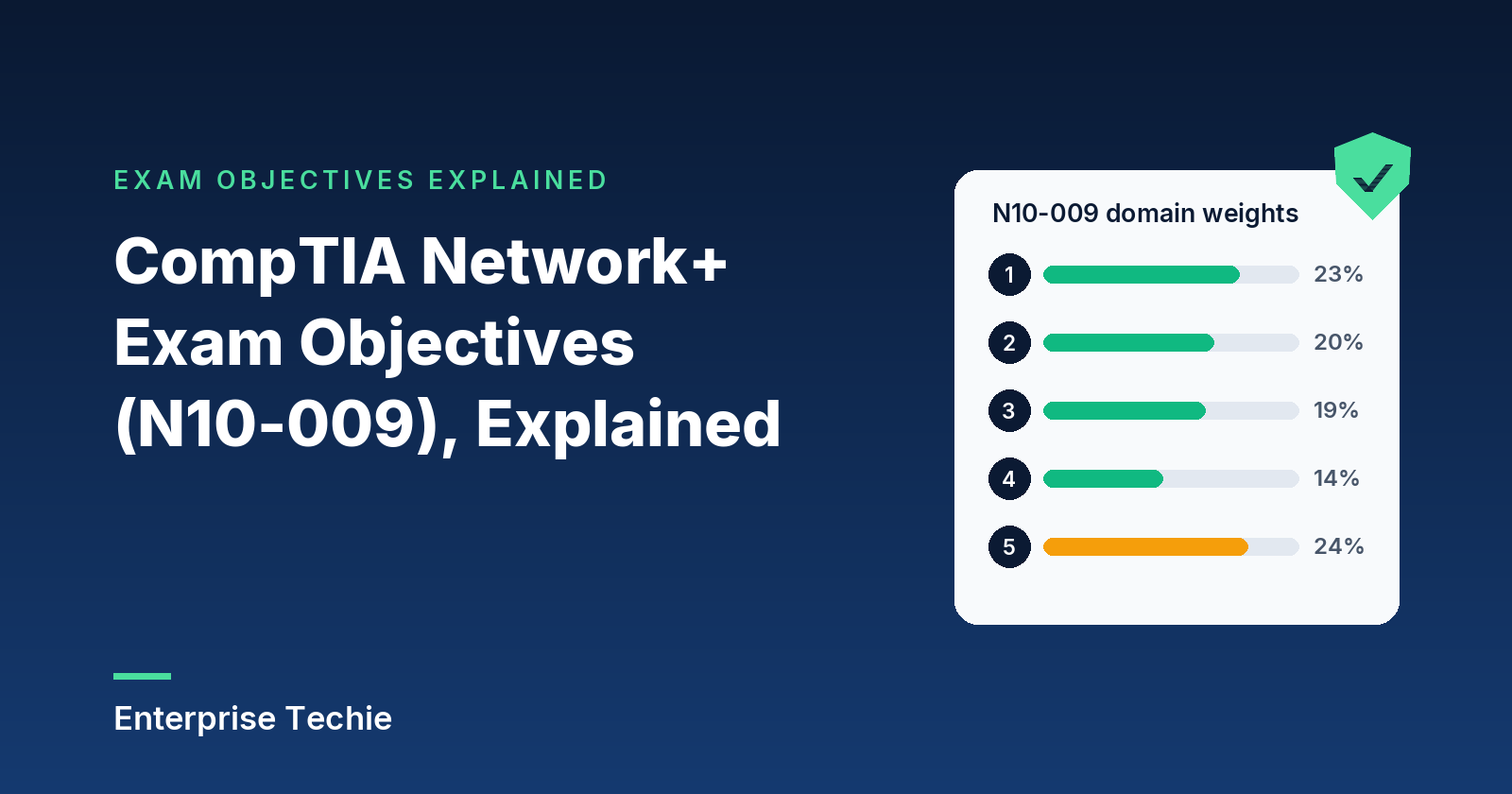
The objectives are grouped into five domains, and CompTIA gives each domain a percentage of the exam. The two right-hand columns are counted from the objectives document itself.
| Domain | Share of exam | Objectives | “Given a scenario” objectives |
|---|---|---|---|
| 1.0 Networking Concepts | 23% | 8 | 1 |
| 2.0 Network Implementation | 20% | 4 | 2 |
| 3.0 Network Operations | 19% | 5 | 2 |
| 4.0 Network Security | 14% | 3 | 1 |
| 5.0 Network Troubleshooting | 24% | 5 | 4 |
| Total | 100% | 25 | 10 |
Two things stand out. Network Troubleshooting is the heaviest domain at 24 percent, and four of its five objectives begin with “Given a scenario”, so it is the most hands-on part of the exam. And Networking Concepts, at 23 percent, has the most objectives of any domain, eight, which makes it the broadest: Domains 1 and 5 together account for 47 percent of the exam.
How to read an objective
Each objective opens with a verb, and the verb says what kind of knowledge is expected. In N10-009, eight objectives ask candidates to explain, four to compare and contrast, and three to summarize. Those test whether a concept is understood well enough to recognize it, tell it apart from its neighbors and say why it matters.
The other ten begin with “Given a scenario”. They are about applying the material: configuring a switch feature, choosing the right wireless setting, reading symptoms and picking the cause, or reaching for the right tool. Those are the objectives where hands-on practice pays off most.
Under each objective sits a list of bulleted examples. CompTIA states that these lists are not exhaustive: other technologies, processes or tasks related to an objective can appear on the exam even when they are not listed. The document also ends with two useful extras, an acronym list and a proposed list of hardware and software for a practice lab.
Domain 1: Networking Concepts (23%)
The foundations the rest of the exam builds on. Eight objectives, one scenario-based.
- 1.1 The OSI model. All seven layers, from physical up to application, and what happens at each.
- 1.2 Appliances, applications and functions. Routers, switches, firewalls, IDS and IPS, load balancers, proxies, NAS and SAN storage, access points and wireless controllers, in physical and virtual form; content delivery networks; and the functions VPN, quality of service and time to live.
- 1.3 Cloud concepts. Network functions virtualization, virtual private clouds, network security groups and lists, internet and NAT gateways, VPN and dedicated connections into the cloud, public, private and hybrid deployments, SaaS, IaaS and PaaS, and the ideas of scalability, elasticity and multitenancy.
- 1.4 Ports, protocols and traffic types. A table of 20 protocols and their port numbers, from FTP to SIP; the IP protocol types ICMP, TCP, UDP, GRE and IPsec (AH, ESP and IKE); and unicast, multicast, anycast and broadcast traffic.
- 1.5 Media and transceivers. 802.11 wireless, cellular and satellite; 802.3 Ethernet, single-mode and multimode fiber, direct attach copper and twinaxial cable, coax, cable speeds, plenum ratings; Ethernet and Fibre Channel transceivers in SFP and QSFP form factors; and eight connector types, SC, LC, ST and MPO for fiber and RJ11, RJ45, F-type and BNC for copper.
- 1.6 Topologies and architectures. Mesh, hybrid, star or hub and spoke, point to point, spine and leaf, the three-tier core, distribution and access model, collapsed core, and north-south versus east-west traffic.
- 1.7 IPv4 addressing (scenario). Public and private ranges including RFC1918, APIPA and loopback, subnetting with VLSM and CIDR, and the five address classes A to E.
- 1.8 Modern network use cases. SDN and SD-WAN (application awareness, zero-touch provisioning, transport independence, central policy), VXLAN for data center interconnect, zero trust architecture, SASE and SSE, infrastructure as code with automation and source control, and IPv6, including how it relieves address exhaustion and coexists with IPv4 through tunneling, dual stack and NAT64.
Study note: 1.4 and 1.7 are the objectives built on memorization and arithmetic. Learn the port table early and keep reviewing it, and practice subnetting by hand until working out a mask and host count takes seconds.
Domain 2: Network Implementation (20%)
Building the network: routing, switching, wireless and the physical installation. Four objectives, two scenario-based.
- 2.1 Routing. Static and dynamic routing with BGP, EIGRP and OSPF, how a route is selected by prefix length, administrative distance and metric, NAT and port address translation, first hop redundancy with a virtual IP, and subinterfaces.
- 2.2 Switching (scenario). VLANs, the VLAN database and switch virtual interfaces; port settings such as native and voice VLANs, 802.1Q tagging, link aggregation, speed and duplex; spanning tree; and MTU with jumbo frames.
- 2.3 Wireless (scenario). Channels, channel width, non-overlapping channels and regulatory rules such as 802.11h; the 2.4, 5 and 6 GHz bands and band steering; SSID, BSSID and ESSID; mesh, ad hoc, point to point and infrastructure networks; WPA2 and WPA3; guest networks with captive portals; PSK versus Enterprise authentication; antenna types; and autonomous versus lightweight access points.
- 2.4 Physical installation. Where equipment lives (main and intermediate distribution frames), rack size, port-side airflow direction, patch panels and fiber distribution panels, lockable enclosures, power from UPS units and PDUs with attention to load and voltage, and environmental factors: humidity, fire suppression and temperature.
Study note: the two scenario objectives here are configuration tasks. A home lab, a network simulator or even a single managed switch turns VLANs, trunks and wireless security settings from definitions into something practiced.
Domain 3: Network Operations (19%)
Running a network well once it exists. Five objectives, two scenario-based.
- 3.1 Processes and procedures. Documentation (physical and logical diagrams, rack diagrams, cable maps, Layer 1 to Layer 3 network diagrams, asset inventory, IP address management, SLAs and wireless surveys), life-cycle management from end-of-life and end-of-support to patching, firmware and decommissioning, change management, and configuration management with production, backup and golden configurations.
- 3.2 Monitoring (scenario). SNMP with traps, MIBs, versions 2c and 3, community strings and authentication; flow data and packet capture; baselines and anomaly alerts; log aggregation through syslog collectors and SIEM; API integration and port mirroring; and the solutions built on them, from network discovery to performance, availability and configuration monitoring.
- 3.3 Disaster recovery. The metrics RPO, RTO, MTTR and MTBF, cold, warm and hot sites, active-active and active-passive high availability, and testing through tabletop exercises and validation tests.
- 3.4 Network services (scenario). DHCP (scopes, reservations, leases, options, relay and exclusions) and SLAAC; DNS with DNSSEC, DNS over HTTPS and DNS over TLS, the common record types, zone types, and the hosts file; and time services NTP, PTP and NTS.
- 3.5 Access and management methods. Site-to-site and client-to-site VPNs, clientless access, split versus full tunnels, management by SSH, GUI, API or console, jump boxes, and in-band versus out-of-band management.
Study note: 3.4 packs in a lot of protocol detail. Watching a real DHCP exchange and a few DNS lookups in a packet capture makes the message names and record types much easier to remember than reading them.
Domain 4: Network Security (14%)
The smallest domain: security as a network administrator meets it. Three objectives, one scenario-based.
- 4.1 Security concepts. Encryption of data in transit and at rest, certificates and PKI, identity and access management (MFA, SSO, RADIUS, LDAP, SAML, TACACS+, time-based authentication, least privilege and role-based access), geofencing, cameras and locks, honeypots and honeynets, the terms risk, vulnerability, exploit and threat, the CIA triad, compliance topics such as data locality, PCI DSS and GDPR, and segmenting IoT, industrial and operational technology, guest and BYOD devices.
- 4.2 Attacks and their impact. Denial of service, VLAN hopping, MAC flooding, ARP and DNS poisoning and spoofing, rogue DHCP servers and access points, evil twins, on-path attacks, social engineering from phishing to tailgating, and malware.
- 4.3 Applying defenses (scenario). Device hardening, network access control with port security, 802.1X and MAC filtering, key management, ACLs and URL and content filtering, and trusted, untrusted and screened zones.
Study note: RADIUS and TACACS+ are the classic pair to keep apart. RADIUS runs over UDP and hides the user password (RFC 2865); TACACS+ runs over TCP port 49 and separates authentication, authorization and accounting (RFC 8907).
Domain 5: Network Troubleshooting (24%)
The heaviest domain and the most practical: five objectives, four of them scenario-based. This is the day-to-day work of keeping a network running.
- 5.1 The troubleshooting method. CompTIA’s seven steps, from identifying the problem and forming a theory through testing, planning, fixing or escalating, confirming the whole system works, and documenting what was learned.
- 5.2 Cabling and interfaces (scenario). The wrong cable type or category, shielded versus unshielded pair, crosstalk, interference and attenuation, bad terminations and swapped transmit and receive strands; rising interface counters such as CRC errors, runts, giants and drops; ports that are error disabled, administratively down or suspended; PoE budgets and standards; and mismatched transceivers or weak optical signal.
- 5.3 Network services (scenario). Spanning tree loops, root bridge selection, port roles and states, wrong VLAN assignments, ACLs, routing table and default route problems, DHCP pool exhaustion, and wrong or duplicate IP addresses, gateways and subnet masks.
- 5.4 Performance (scenario). Congestion and contention, bottlenecks, bandwidth and throughput, latency, packet loss and jitter, plus wireless problems: interference and channel overlap, weak or lost signal, coverage gaps, clients dropping off, and roaming set up wrong.
- 5.5 Tools (scenario). Protocol analyzers, the command-line tools ping, traceroute and tracert, nslookup, dig, tcpdump, netstat, ip, ifconfig, ipconfig and arp, Nmap, LLDP and CDP, speed testers, hardware tools from toners and cable testers to taps, Wi-Fi analyzers and visual fault locators, and basic switch and router show commands.
Study note: with 24 percent of the exam and four scenario objectives, this domain rewards time at a keyboard. Running each command-line tool, reading interface counters on a real or simulated switch, and walking every practice problem through the seven steps all map directly to objectives here.
Where the OSI model shows up in N10-009
The OSI model has its own objective, but it also runs through the document as a way of organizing other topics:
- 1.1 covers the seven layers themselves.
- 3.1 lists network diagrams drawn for Layer 1, Layer 2 and Layer 3 separately.
- 5.1 includes working through the OSI model top to bottom or bottom to top as a way to form a theory of the cause.
- 1.8 describes VXLAN as Layer 2 encapsulation, which only makes sense with the layers in mind.
Learning the layers well in Domain 1 pays off later: a dark link light is a Layer 1 problem, while a host that has an address but cannot reach other subnets has a Layer 3 problem.
How to study the objectives
- Turn the document into a checklist. Work from the official objectives, which CompTIA summarizes on its Network+ page, and mark each bullet as it becomes familiar. Gaps show up quickly.
- Split study time by weight. Domains 1 and 5 are 47 percent of the exam, so they deserve about half the hours. Domain 4 is the smallest at 14 percent, but its terms (RADIUS, 802.1X, screened subnet) are quick to learn.
- Practice the ten scenario objectives hands-on. 1.7, 2.2, 2.3, 3.2, 3.4, 4.3, 5.2, 5.3, 5.4 and 5.5 are about applying knowledge. CompTIA’s proposed lab list (a managed or Layer 3 switch, a router, a firewall, a wireless access point, a cable tester, a protocol analyzer and similar) is a good shopping list, and a network simulator or cloud lab account covers much of it.
- Test against the objectives, then read the explanations. Practice questions show which objectives are solid and which are not. The explanation for a missed question usually teaches more than the question itself.
Practice against these objectives
Try 30 free Network+ practice questions with answers and explanations, plus a 10-question quick check scored at the end. No sign-up.
Frequently asked questions
How many questions are on the Network+ N10-009 exam?
A maximum of 90, a mix of multiple-choice and performance-based questions, with 90 minutes to complete them, according to CompTIA’s exam page and the N10-009 objectives.
What is the passing score for Network+ N10-009?
720 on a scale of 100 to 900, according to CompTIA’s Network+ exam page.
What are the five Network+ domains?
Networking Concepts (23%), Network Implementation (20%), Network Operations (19%), Network Security (14%) and Network Troubleshooting (24%).
How many objectives does N10-009 have?
25, spread across the five domains. Ten of them begin with “Given a scenario”, which means they are about applying knowledge to a situation rather than recognizing a term, and four of those ten are in Network Troubleshooting.
Does Network+ N10-009 cover cloud and zero trust?
Yes. Objective 1.3 covers cloud concepts such as virtual private clouds, cloud gateways and the SaaS, PaaS and IaaS models, and objective 1.8 covers zero trust architecture alongside SD-WAN, VXLAN, SASE and SSE, infrastructure as code and IPv6.
When does N10-009 retire?
CompTIA’s exam page gives the retirement as usually three years after launch, estimated 2027. N10-009 launched on June 20, 2024, so check the page for a confirmed date before booking late in the cycle.
Is everything on the exam listed in the objectives?
Not every detail. CompTIA notes that the bulleted examples under each objective are not exhaustive, and related technologies, processes or tasks can appear on the exam even if they are not listed.
Sources: CompTIA Network+ (V9) exam page and the CompTIA Network+ N10-009 exam objectives, document version 6.0; RFC 2865 and RFC 8907 for the RADIUS and TACACS+ note. Last checked: November 2026. CompTIA and Network+ are trademarks of CompTIA, Inc. Enterprise Techie is not affiliated with or endorsed by CompTIA.