This free CompTIA Network+ study guide covers the N10-009 exam, which CompTIA calls Network+ V9. It follows CompTIA’s official exam objectives in their published order, domain by domain, and explains each objective in plain English with tables and an exam tip where two ideas are easy to confuse.
The test details in the first section come from CompTIA’s Network+ exam page and the N10-009 exam objectives document (version 6.0). Everything after that links to its source where the fact appears: port numbers to the IANA service name and port number registry, protocols to their IETF RFCs, and cabling, wireless and switching details to IEEE, Wi-Fi Alliance and vendor documentation.
CompTIA lists A+ certification in the recommended experience for Network+. The A+ Core 1 study guide covers the groundwork, and the Security+ study guide takes Domain 4 much further.
In this guide
Network+ N10-009 at a glance
| Exam code | N10-009 (Network+ V9) |
|---|---|
| Launch date | June 20, 2024 |
| Retirement | Usually three years after launch, estimated 2027, according to CompTIA |
| Number of questions | Maximum of 90 |
| Question types | Multiple-choice and performance-based |
| Time | 90 minutes |
| Passing score | 720 on a scale of 100 to 900 |
| Recommended experience | CompTIA A+ certification, with 9 to 12 months of hands-on experience in a junior network administrator or network support technician role |
| Languages | English, German, Japanese, Portuguese and Spanish |
| Renewal | Three-year continuing education cycle; CompTIA lists 30 CEUs for Network+ |
The objectives document words the experience recommendation a little differently: a minimum of 9 to 12 months of experience in the IT networking field. Renewal details come from CompTIA’s CE renewal cycle and CEU requirements pages. Neither source lists a price; check CompTIA’s site for current vouchers.
What’s changing
Checked against CompTIA’s Network+ page on November 15, 2026. No new version has been announced. N10-009 (V9) launched on June 20, 2024, and CompTIA puts its retirement at “usually three years after launch (estimated 2027)” (CompTIA). We’ll update this section and email exam-update subscribers when CompTIA announces the next version.
For every upcoming exam date, see the IT certification exam calendar.
How to use this guide
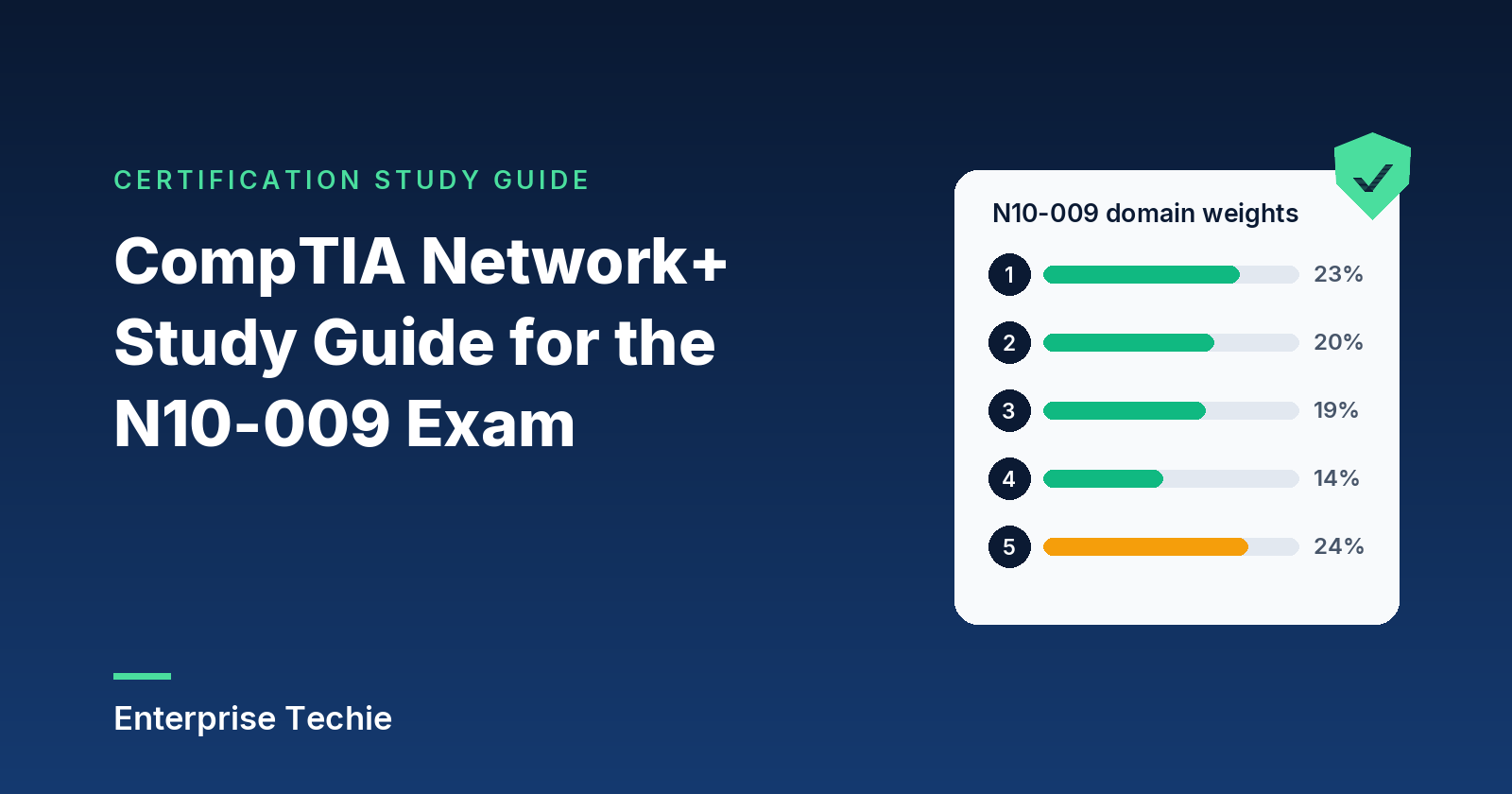
N10-009 has five domains. The weights come from CompTIA; the two right-hand columns are counted from the objectives document.
| Domain | Share of exam | Objectives | “Given a scenario” objectives |
|---|---|---|---|
| 1.0 Networking Concepts | 23% | 8 | 1 |
| 2.0 Network Implementation | 20% | 4 | 2 |
| 3.0 Network Operations | 19% | 5 | 2 |
| 4.0 Network Security | 14% | 3 | 1 |
| 5.0 Network Troubleshooting | 24% | 5 | 4 |
| Total | 100% | 25 | 10 |
Each domain below gets space in rough proportion to its weight. Every objective has its own heading, a plain-English explanation, a table where one helps, and an exam tip for the pair of ideas most likely to be mixed up. For the objectives alone on one page, see CompTIA Network+ objectives explained. For practice against them, see the free Network+ practice questions.
Domain 1: Networking Concepts (23%)
The vocabulary every other domain assumes. Eight objectives, one of them scenario-based (1.7).
1.1 The OSI reference model
The OSI model (ITU-T X.200) splits network communication into seven layers, each serving the one above. Each layer wraps the data in its own header on the way down (encapsulation). Data is a frame at Layer 2, a packet at Layer 3, and a segment (TCP) or datagram (UDP) at Layer 4.
| Layer | Its job, with examples |
|---|---|
| 7 Application | Gives applications access to the network: HTTP, DNS, SSH |
| 6 Presentation | Represents data so both ends read it alike, including compression |
| 5 Session | Organizes and synchronizes the dialogue between two ends |
| 4 Transport | End-to-end transfer: TCP, UDP, ports |
| 3 Network | Routing between networks: IP, routers |
| 2 Data link | Transfer across one link: Ethernet, MAC addresses, switches |
| 1 Physical | The connections that carry bits: cables, connectors, radio |
Exam tip: MAC addresses are Layer 2 and only matter on the local link; IP addresses are Layer 3 and are what routers use between networks.
1.2 Networking appliances, applications and functions
| Appliance | What it does |
|---|---|
| Router | Forwards packets between networks by IP address |
| Switch | Forwards frames within a network by MAC address |
| Firewall | “A gateway that limits access between networks in accordance with local security policy” |
| IDS and IPS | An IDS detects intrusions and alerts; an IPS also tries to stop them |
| Load balancer | Spreads requests across a pool of servers |
| Proxy | Forwards client requests to other servers on the clients’ behalf |
| NAS and SAN | A NAS serves files over NFS or SMB; a SAN is a network for moving data between servers and storage |
| AP and controller | An AP connects wireless clients; a controller manages many APs |
Sources: NIST glossary, SNIA and CAPWAP (RFC 5415). A content delivery network (CDN) cooperates at Layers 4 to 7 to deliver content to users more effectively (RFC 6707).
A VPN tunnels private traffic across a shared network. QoS prioritizes traffic: a six-bit codepoint in the IP header selects how each node treats the packet (RFC 2474). TTL is an 8-bit IPv4 field, at most 255, that each router lowers; at zero the packet is destroyed, which stops endless loops (RFC 791).
Exam tip: TTL has two meanings. In an IP header it limits hops; on a DNS record it says how long the answer may be cached (RFC 1035).
1.3 Cloud concepts and connectivity
Network functions virtualization (NFV) decouples network software from hardware (ETSI). A virtual private cloud (VPC) is a logically isolated virtual network in a provider’s cloud.
In Oracle Cloud, security lists filter traffic for every virtual NIC in a subnet, and network security groups for chosen NICs. AWS security groups are instance-level and stateful (return traffic allowed automatically); its network ACLs are subnet-level and stateless.
An internet gateway connects a VPC to the internet; a NAT gateway lets private instances connect out while blocking connections started from outside. On-premises networks connect by VPN or a private link such as AWS Direct Connect, a standard Ethernet fiber connection that bypasses internet providers.
From NIST SP 800-145: SaaS provides applications, PaaS a platform for the customer’s own applications, and IaaS processing, storage and networks, with the customer running the operating systems. Public clouds are open to anyone, private clouds serve one organization, and hybrid clouds bind distinct clouds together. Multitenancy is resource pooling: one provider’s resources serve many customers.
Exam tip: scalability adds capacity for more load; elasticity, NIST’s rapid elasticity, also releases it, sometimes automatically, as demand falls.
1.4 Ports, protocols, services and traffic types
Each of the 20 ports in the objectives appears in the IANA registry under the service name in the third column.
| Protocol | Port | IANA name |
|---|---|---|
| FTP | 20, 21 | ftp-data, ftp |
| SFTP | 22 | ssh |
| SSH | 22 | ssh |
| Telnet | 23 | telnet |
| SMTP | 25 | smtp |
| DNS | 53 | domain |
| DHCP | 67, 68 | bootps, bootpc |
| TFTP | 69 | tftp |
| HTTP | 80 | http |
| NTP | 123 | ntp |
| SNMP | 161, 162 | snmp, snmptrap |
| LDAP | 389 | ldap |
| HTTPS | 443 | https |
| SMB | 445 | microsoft-ds |
| Syslog | 514 (UDP) | syslog |
| SMTPS | 587 | submission |
| LDAPS | 636 | ldaps |
| SQL Server | 1433 | ms-sql-s |
| RDP | 3389 | ms-wbt-server |
| SIP | 5060, 5061 | sip, sips |
FTP uses 21 for control and 20 for data; DHCP servers use 67 and clients 68; SNMP traps go to 162; 5061 is SIP over TLS; SFTP runs inside SSH. CompTIA pairs SMTPS with 587, which IANA registers as message submission; 465 is submission over TLS, and RFC 8314 recommends supporting both.
IP protocol types are numbers in the IP header (IANA). ICMP (1) reports errors and carries ping’s echo messages (RFC 792). TCP (6) is connection-oriented, reliable and in order, set up with a three-way handshake (RFC 9293). UDP (17) is minimal and leaves delivery to the application (RFC 768). GRE (47) encapsulates one network-layer protocol in another (RFC 2784). In IPsec, AH (51) gives integrity and origin authentication and ESP (50) adds confidentiality, while IKE handles keys on port 500 (isakmp), with 4500 for NAT traversal (RFC 4301, IANA).
Unicast goes to one interface, multicast to a group (IPv4 224.0.0.0 to 239.255.255.255, per RFC 1112), anycast to one of several locations sharing an address (RFC 4786), and broadcast to every local host. IPv6 has no broadcast; multicast replaces it.
Exam tip: SFTP is file transfer inside SSH on port 22; FTPS is ordinary FTP secured with TLS (RFC 4217).
1.5 Transmission media and transceivers
The Wi-Fi Alliance names 802.11 generations: Wi-Fi 4 is 802.11n, Wi-Fi 5 is 802.11ac, Wi-Fi 6 is 802.11ax. Wi-Fi 6E is Wi-Fi 6 in the 6 GHz band, where Wi-Fi 7 adds 320 MHz channels. Cellular and satellite reach places cable cannot. For copper Ethernet (802.3), cable category limits distance:
| Standard | Cable and distance |
|---|---|
| 1000BASE-T (1 Gb/s) | 100 m on Category 5e, 6 or 6A |
| 10GBASE-T (10 Gb/s) | 55 m on Category 6; 100 m on Category 6A |
| 25GBASE-T and 40GBASE-T | At least 30 m of twisted pair; TIA’s Category 8 targets 30-meter channels |
Sources: a Cisco data sheet, IEEE 802.3bq and TIA.
Single-mode fiber has a core of about 9 microns that carries one mode of light at 1310 or 1550 nm, for long runs; multimode has a 50 or 62.5 micron core, typically at 850 nm, for runs of 1 km or less (Cisco). Direct attach copper (DAC) is twinaxial cable with transceivers built on, for short links within or between racks (Cisco). Plenum-rated cable has the fire resistance and low smoke needed in a building’s air-handling space, such as above a suspended ceiling (Cisco).
Transceivers are built for a protocol (Ethernet or Fibre Channel) and a form factor: SFP, or the higher-density quad QSFP. Connector notes are from Cisco’s 6807-XL and CVA122 guides.
| Connector | Notes |
|---|---|
| SC, ST | Single-fiber connectors |
| LC | Small form factor fiber connector with a latching clip like an RJ45 |
| MPO | Multi-fiber; the MTP-12 version holds 12 fibers |
| RJ11 | Six-position telephone connector |
| RJ45 | Twisted-pair Ethernet |
| F-type | Cable TV coax |
| BNC | Bayonet-locking coax |
Exam tip: single-mode and multimode optics do not mix, so a fiber link that stays down after a swap may be a fiber-type mismatch.
1.6 Topologies, architectures and network types
| Design | Shape |
|---|---|
| Mesh | Nodes link to many or all others, giving several paths |
| Star, hub and spoke | Everything connects to a central point |
| Point to point | A direct link between two endpoints |
| Spine and leaf | Every leaf switch connects to every spine; servers attach to leaves |
| Three-tier | Core, distribution and access layers |
| Collapsed core | Core and distribution merged, for smaller sites |
Hybrid designs mix these. Cisco recommends the collapsed core where separate core and distribution layers are not needed. In a spine-leaf fabric, the spine carries east-west traffic between servers; north-south traffic crosses the data center edge.
Exam tip: east-west stays inside the data center; north-south enters or leaves it.
1.7 IPv4 addressing (scenario)
| Block | Purpose |
|---|---|
| 10.0.0.0/8 | Private (RFC 1918) |
| 172.16.0.0/12 | Private (172.16.0.0 to 172.31.255.255) |
| 192.168.0.0/16 | Private |
| 169.254.0.0/16 | APIPA link-local; hosts pick from 169.254.1.0 to 169.254.254.255 (RFC 3927) |
| 127.0.0.0/8 | Loopback, never leaves the host (RFC 6890) |
Classes came first (RFC 791, RFC 1112). By first octet, A is 0 to 127 (default /8), B 128 to 191 (/16), C 192 to 223 (/24), D 224 to 239 for multicast, and E 240 to 255, reserved.
CIDR replaced classes: the prefix after the slash, 0 to 32, counts network bits (RFC 4632). VLSM mixes prefix lengths inside one block. Usable hosts are 2 to the power of the host bits, minus two: the all-zeros host part names the subnet and all-ones is broadcast (RFC 1122).
| Prefix | Mask | Usable hosts |
|---|---|---|
| /24 | 255.255.255.0 | 254 |
| /25 | 255.255.255.128 | 126 |
| /26 | 255.255.255.192 | 62 |
| /27 | 255.255.255.224 | 30 |
| /28 | 255.255.255.240 | 14 |
| /29 | 255.255.255.248 | 6 |
| /30 | 255.255.255.252 | 2 |
Example: 192.168.10.0/24 split into /26 subnets gives four blocks of 64 addresses, starting at .0, .64, .128 and .192; in the first, hosts use .1 to .62 and .63 is broadcast.
Exam tip: a 169.254 address means DHCP failed, so look at the DHCP server, relay or path, not the host’s mask.
1.8 Evolving use cases for modern networks
SDN and SD-WAN separate the control plane, which decides where traffic goes, from the data plane, so policy is set centrally (NIST SP 800-215). Per Cisco’s SD-WAN guide, SD-WAN is application aware (each application uses WAN links meeting its SLA for loss, latency and jitter), transport agnostic (MPLS, broadband or any mix) and supports zero-touch provisioning.
VXLAN is a Layer 2 overlay on a Layer 3 network, carried in UDP on port 4789. Its 24-bit segment ID allows up to 16 million segments, against the 4094 limit of VLANs (RFC 7348), which suits data center interconnect.
Zero trust architecture grants no implicit trust based on network location, and authenticates and authorizes before each session (NIST SP 800-207). SASE delivers networking and security functions together as a cloud service (NIST SP 800-215); SSE is the security part, such as secure web gateway and zero trust network access, and SASE adds SD-WAN (Cisco).
Infrastructure as code keeps configuration in files that tools apply, such as reusable Ansible playbooks. Automation corrects configuration drift, repeats upgrades and builds dynamic inventories. Source control records changes in a central repository; branches diverge from the main line, and conflicting edits to the same lines are flagged.
IPv6 addresses are 128 bits, which answers IPv4 exhaustion (RFC 4291). Loopback is ::1, link-local is fe80::/10 and multicast ff00::/8. For coexistence, dual stack runs both protocols, tunneling carries IPv6 inside IPv4 headers (RFC 4213), and NAT64 lets IPv6-only clients reach IPv4 servers, usually with DNS64 (RFC 6146).
Exam tip: only NAT64 translates, so it is the one that lets an IPv6-only host reach an IPv4-only server.
Domain 2: Network Implementation (20%)
Routing, switching, wireless and the physical installation. Four objectives, two of them scenario-based (2.2 and 2.3).
2.1 Routing technologies
Static routes are entered by an administrator and never change on their own. Dynamic routing protocols let routers learn routes from each other and react when links fail. The objectives name three:
| Protocol | Type | Key facts |
|---|---|---|
| BGP | Inter-autonomous system | Routes between organizations and providers; runs over TCP port 179 (RFC 4271) |
| OSPF | Link state | Runs inside one autonomous system; every router holds an identical topology database and builds a shortest-path tree (RFC 2328) |
| EIGRP | Distance vector | Cisco’s protocol, built on the DUAL algorithm (RFC 7868) |
Route selection follows a fixed order, as Cisco’s route selection document explains. The longest matching prefix wins first: a /24 route beats a /16 for the same destination. When two sources offer the same prefix, administrative distance (AD) decides, and lower is more trusted. Inside one protocol, the lowest metric wins. Cisco’s default AD values:
| Route source | Default AD |
|---|---|
| Connected interface | 0 |
| Static route | 1 |
| External BGP | 20 |
| Internal EIGRP | 90 |
| OSPF | 110 |
| IS-IS | 115 |
| RIP | 120 |
| External EIGRP | 170 |
| Internal BGP | 200 |
| Unknown (never used) | 255 |
Basic NAT maps addresses from one group to another. Port address translation (PAT), which RFC 3022 calls NAPT, maps many internal addresses and their TCP/UDP ports onto a single external address, which is how many devices share one public IP.
A first hop redundancy protocol (FHRP) keeps the default gateway alive when a router fails. Two or more routers share a virtual IP (VIP) that hosts use as their gateway, and an election decides which one answers. VRRP is the IETF standard; its RFC says it removes the single point of failure of a static default gateway and is similar to Cisco’s proprietary HSRP. Subinterfaces split one physical router interface into logical ones, typically one per VLAN with 802.1Q tags, so a single link can route between VLANs.
Exam tip: administrative distance compares different routing sources for the same prefix; the metric compares paths within one protocol. Neither matters until the longest-prefix match is found.
2.2 Switching technologies and features (scenario)
A VLAN splits one physical switch into separate broadcast domains, and the switch keeps its VLANs in a VLAN database. To route between VLANs on a Layer 3 switch, create a switch virtual interface (SVI), which Cisco defines as a VLAN of switch ports represented as one interface to the routing function (Cisco).
Trunks carry many VLANs by tagging frames. With 802.1Q, the switch inserts a 4-byte tag whose VLAN ID field is 12 bits (Cisco 802.1Q frame format), which is where the 4094-VLAN limit comes from. Native VLAN frames cross the trunk untagged; Cisco’s default native VLAN is 1, and its campus design guide recommends changing it to an unused ID. A voice VLAN lets one access port carry IP phone traffic in one VLAN and the PC behind the phone in another (Cisco).
Link aggregation lets parallel links act as a single link (IEEE 802.1AX); LACP builds the bundle automatically by exchanging LACP packets, and Cisco calls the result an EtherChannel. Speed and duplex must match on both ends. A duplex mismatch, one side full and the other half, shows up as late collisions and CRC errors (Cisco).
Spanning Tree Protocol (STP) allows redundant paths without loops by blocking some ports. Switches exchange bridge protocol data units (BPDUs) and elect a root bridge: the lowest priority value wins, and with every switch at the default priority of 32768, the lowest MAC address wins (Cisco STP guide). Rapid STP (802.1w) merges the original states into three (Cisco RSTP guide):
| 802.1D state | 802.1w state | Forwards frames? | Learns MAC addresses? |
|---|---|---|---|
| Disabled, blocking, listening | Discarding | No | No |
| Learning | Learning | No | Yes |
| Forwarding | Forwarding | Yes | Yes |
The maximum transmission unit (MTU) is the largest packet a link carries without fragmenting; standard Ethernet carries IP datagrams of up to 1500 octets (RFC 894). Jumbo frames raise the limit. A Cisco Catalyst 9300, for example, accepts a system MTU from 1500 to 9198 bytes (Cisco). Every device in the path has to agree.
Exam tip: the native VLAN is the one a trunk carries untagged, and both ends should agree on it. The voice VLAN is a separate idea, for access ports with IP phones.
2.3 Wireless devices and technologies (scenario)
Channel facts below are from Cisco’s Wireless RF Reference Guide.
| Band | Channel facts |
|---|---|
| 2.4 GHz | 20 MHz channels; only 1, 6 and 11 do not overlap; shared with many non-Wi-Fi devices |
| 5 GHz | Many more channels; 40 MHz bonding is the most common choice; some channels require DFS |
| 6 GHz | Encourages wider 80 and 160 MHz channels, and Wi-Fi 7 adds 320 MHz; needs clients that support 6 GHz |
Channel width is a trade. Bonding raises throughput, but Cisco notes that bonding two 5 GHz channels lowers the signal by 3 dB because the same power is spread over both, and wide channels leave fewer non-overlapping choices. Regulations shape the plan too: access points on some 5 GHz channels must use Dynamic Frequency Selection (DFS) and leave a channel immediately when they detect radar. IEEE 802.11h, “Spectrum and Transmit Power Management Extensions in the 5 GHz Band in Europe” (IEEE), is the amendment behind this; in Cisco’s words it informs clients about channel changes and can limit their transmit power.
Band steering moves capable clients to the better band. Cisco’s band select, for example, delays probe responses on 2.4 GHz so dual-band clients choose the 5 GHz radio (Cisco).
The SSID is the network name clients see. The BSSID identifies one access point radio’s basic service set. When several APs share one network name so clients can roam, that is an extended service set, and its identifier, the ESSID, is what people usually call the SSID (Cisco wireless architecture). Infrastructure networks use access points; ad hoc networks connect clients directly; mesh networks let APs relay for each other wirelessly; point to point links join two sites.
For encryption, WPA3-Personal uses Simultaneous Authentication of Equals (SAE) for stronger protection against password guessing, and WPA3-Enterprise offers the equivalent of 192-bit cryptographic strength (Wi-Fi Alliance). Authentication is either a pre-shared key (PSK), one passphrase for everyone, or Enterprise, where each user signs in through 802.1X and a RADIUS server. Guest networks often add a captive portal, which limits devices to a few hosts until the user meets conditions such as accepting terms (RFC 8952).
An omnidirectional antenna covers a 360-degree pattern; a directional antenna focuses energy, trading coverage angle for distance. An autonomous AP runs on its own configuration. A lightweight AP splits the work with a controller, which centralizes management, authentication and policy.
Exam tip: PSK is one shared passphrase, so anyone who knows it gets in; Enterprise gives each user a separate identity checked by a RADIUS server.
2.4 Physical installation factors
Locations. An intermediate distribution frame (IDF) is a wiring closet, often one or more per floor, usually holding access switches. The main distribution frame (MDF) is the central point the IDFs connect back to. Cisco’s campus design guide notes that cable distance between the main closet and floor IDFs can limit upgrades.
Racks and airflow. Rack size is measured in rack units, so plan height, depth and weight before buying. Switches come with port-side intake or port-side exhaust airflow. Cisco’s Nexus installation guide puts the ports in the cold aisle for port-side intake and in the hot aisle for port-side exhaust, and requires fans and power supplies in one chassis to share a direction. Patch panels terminate copper runs and fiber distribution panels terminate fiber, so equipment connects with short patch cords. Lockable racks keep hands off the hardware.
Power and environment. An uninterruptible power supply (UPS) has an internal battery that keeps equipment running for at least a short time when primary power fails (NIST). A power distribution unit (PDU) distributes power to the devices in a rack. Keep the total power load under what the circuit, PDU and UPS supply, and match equipment to the supply voltage. Monitor temperature and humidity against each device’s operating ranges, and choose fire suppression suited to rooms full of powered electronics.
Exam tip: intake and exhaust name the airflow at the port side. Port-side intake means ports face the cold aisle; port-side exhaust means they face the hot aisle.
Domain 3: Network Operations (19%)
Keeping a network documented, monitored and recoverable. Five objectives, two scenario-based (3.2 and 3.4).
3.1 Organizational processes and procedures
Documentation. A physical diagram shows where equipment is and how it is cabled; a logical diagram shows how traffic flows through subnets, VLANs and routes. Rack diagrams show what sits in each rack, and cable maps trace each run. Network diagrams are often drawn per layer: Layer 1 for cabling, Layer 2 for switching, Layer 3 for addressing and routing. The asset inventory covers hardware, software, licensing and warranty support, and IP address management (IPAM) tracks address use. A service-level agreement (SLA) defines a provider’s responsibilities and the customer’s expectations (NIST). A wireless survey measures signal across a site; the heat map is its color-coded result.
Life cycle. End-of-life (EOL) is the vendor’s process for retiring a product; CompTIA expands EOS as end-of-support, after which the vendor stops fixing it. Cisco’s end-of-life policy uses End-of-Sale for the last date to buy and Last Date of Support for the end of support. Software management covers patches, bug fixes, operating systems and firmware; decommissioning removes a device safely, wiping its data.
Change and configuration. Change management runs every change through a tracked request so it is reviewed and approved. Configuration management keeps the production configuration, backups and the baseline or “golden” configuration, which NIST defines as specifications formally reviewed and agreed at a point in time that change only through change control (NIST SP 800-128).
Exam tip: watch the EOS acronym. CompTIA’s list means end-of-support; Cisco’s EoS means end-of-sale, which comes earlier.
3.2 Network monitoring technologies (scenario)
SNMP. A manager polls devices on port 161 and receives traps on port 162. Each device exposes managed objects in a virtual information store, the Management Information Base (MIB), and traps are unsolicited notifications (RFC 3410). SNMPv2c relies on plain-text community strings, which RFC 3410 calls trivial authentication and fundamentally insecure. SNMPv3’s User-based Security Model adds integrity, origin authentication, confidentiality and protection against replayed messages (RFC 3414).
Flows and captures. Flow data summarizes conversations: who talked to whom, on which ports, how much. IPFIX, the IETF standard that followed NetFlow version 9, defines a flow as packets passing an observation point during a time interval (RFC 7011). A packet capture records the packets themselves, contents included.
Baselines and logs. A baseline records normal values, so monitoring can alert on anomalies. Log aggregation gathers logs in one place: a syslog collector, or a SIEM, which NIST describes as centralized logging for many log types (NIST). Syslog severities run from 0 to 7 (RFC 5424):
| Code | Severity | Code | Severity |
|---|---|---|---|
| 0 | Emergency: system unusable | 4 | Warning |
| 1 | Alert: act immediately | 5 | Notice: normal but significant |
| 2 | Critical | 6 | Informational |
| 3 | Error | 7 | Debug |
API integration lets monitoring platforms pull data from controllers and cloud services. Port mirroring copies traffic from chosen ports or VLANs to a destination port for analysis without affecting switching; Cisco calls it SPAN (Cisco). The solutions built on these: network discovery (ad hoc or scheduled), traffic analysis, and performance, availability and configuration monitoring.
Exam tip: flow data says who talked to whom and how much; a packet capture says exactly what was said.
3.3 Disaster recovery concepts
The recovery point objective (RPO) is the point in time to which data must be recovered after an outage, so it sets how much data loss is acceptable. The recovery time objective (RTO) is how long a system can be in recovery before the mission suffers (both NIST SP 800-34). Mean time to repair (MTTR) is the average time to fix a failed component; mean time between failures (MTBF) is the average time it runs between failures.
| Site | What is ready (NIST SP 800-34) | Speed and cost |
|---|---|---|
| Cold | Power and facilities, no computer equipment | Slowest, cheapest |
| Warm | Partially equipped with systems and telecommunications | In between |
| Hot | Fully operational with hardware and software | Fastest, most expensive |
In an active-active design every node carries traffic and survivors absorb the load; in active-passive a standby node takes over on failure. A tabletop exercise is a discussion where people walk through their roles in a scenario led by a facilitator (NIST SP 800-84); validation tests exercise the real systems, such as an actual failover.
Exam tip: RPO looks backward at how much data can be lost; RTO looks forward at how long the outage can last.
3.4 IPv4 and IPv6 network services (scenario)
DHCP hands out addresses in four messages (RFC 2131): the client broadcasts a DHCPDISCOVER, a server answers with a DHCPOFFER, the client sends a DHCPREQUEST, and the server confirms with a DHCPACK. A scope is the address pool for one subnet; exclusions are addresses in it never to assign; a reservation ties one address to one client (RFC 2131’s manual allocation); the lease time is how long a client keeps its address. Options carry other settings (RFC 2132): 1 is the subnet mask, 3 the router, 6 the DNS servers, 15 the domain name and 51 the lease time. A DISCOVER broadcast cannot cross a router, so a relay agent forwards DHCP to a server on another subnet; on Cisco devices that is the ip helper-address command (Cisco). IPv6 hosts can instead use SLAAC, generating their own addresses with no manual configuration (RFC 4862).
| DNS record | Holds |
|---|---|
| A | An IPv4 host address |
| AAAA | An IPv6 address (RFC 3596) |
| CNAME | The canonical name for an alias |
| MX | The mail exchange for a domain |
| TXT | Text strings |
| NS | An authoritative name server |
| PTR | A pointer from an address back to a name |
Definitions are from RFC 1035 unless noted. Forward zones answer name-to-address queries; reverse zones answer address-to-name queries with PTR records. Per RFC 1034, an authoritative answer comes from a server holding the zone and a non-authoritative one from a cache; the primary server is where the zone is edited and secondaries copy it by zone transfer; a recursive server chases the answer for the client. The hosts file is a static name list on the host itself, and Windows preloads it into the DNS client cache (Microsoft).
DNSSEC adds origin authentication and integrity but, by design, not confidentiality (RFC 4033). DNS over HTTPS (DoH) sends queries over HTTPS, normally port 443 (RFC 8484); DNS over TLS (DoT) uses port 853 (RFC 7858).
Time. NTP uses port 123 and arranges servers in strata: stratum 1 is synchronized to a reference clock and 16 means unsynchronized (RFC 5905). Precision Time Protocol (IEEE 1588) reaches sub-microsecond accuracy for measurement and control systems. Network Time Security adds cryptographic security to NTP, with TLS for key establishment (RFC 8915).
Exam tip: DNSSEC proves an answer is genuine but anyone can read it; DoH and DoT hide the query but do not prove the answer.
3.5 Network access and management methods
A site-to-site VPN connects whole networks, gateway to gateway. A client-to-site VPN connects one remote device through VPN client software, and a clientless VPN runs in a web browser over TLS with nothing installed. NIST defines split tunneling as sending the organization’s traffic through the tunnel while other traffic uses the user’s own default gateway (NIST SP 800-113); a full tunnel sends everything through the VPN.
Devices are managed by SSH, a web-based graphical user interface (GUI), an API for automation, or the console port for direct serial access. A jump box (jump host) is a hardened system administrators connect to first and manage everything else from. In-band management travels over the production network; out-of-band management uses a separate path, such as a management network or console server, so devices stay reachable when production fails.
Exam tip: a split tunnel saves bandwidth but leaves other traffic outside the VPN; a full tunnel protects everything at the cost of bandwidth.
Domain 4: Network Security (14%)
The smallest domain, and the one Security+ covers in much more depth. Three objectives, one scenario-based (4.3).
4.1 Basic network security concepts
Encryption and certificates. Data in transit is protected by protocols such as TLS, SSH and IPsec; data at rest by encrypting disks, databases and backups. Public key infrastructure (PKI) issues, maintains and revokes certificates. A self-signed certificate is signed with its own key, so the signature protects its integrity but not its authenticity (NIST).
Identity and access. Multifactor authentication uses two or more different factors. Single sign-on uses one account to reach many applications. Time-based authentication includes one-time codes generated from the clock, as in TOTP, whose default time step is 30 seconds (RFC 6238). Least privilege limits users to the access their tasks need, role-based access control attaches permissions to roles, and geofencing allows or blocks access by location. LDAP gives access to directory services (RFC 4511), and SAML exchanges security information between organizations for web single sign-on (OASIS).
| RADIUS | TACACS+ | |
|---|---|---|
| Transport | UDP 1812, accounting on 1813 | TCP 49 |
| Protection | Hides the user password | Can obfuscate the body, which RFC 8907 says falls short of modern standards |
| AAA | Authentication, authorization and configuration together | Separates authentication, authorization and accounting |
| Typical use | Network access, such as Wi-Fi and VPN logins | Device administration |
Sources: RFC 2865, RFC 8907 and the IANA registry. Physical security means cameras and locks. Deception technology includes the honeypot, a system designed to attract intruders (NIST), and the honeynet, a network of them.
Terms. From the NIST glossary: a vulnerability is a weakness a threat source could exploit; a threat is any circumstance or event that could harm operations, assets or people; risk weighs how much an entity is threatened, typically by impact and likelihood. An exploit is the code or technique that uses a vulnerability. The CIA triad is confidentiality (authorized restrictions on access and disclosure), integrity (no improper modification or destruction) and availability (timely, reliable access).
Compliance and segmentation. Data locality rules keep some data within a country or region. PCI DSS sets technical and operational requirements to protect payment account data, and the GDPR is the EU regulation on personal data. IoT and IIoT devices, SCADA, ICS and operational technology (systems that monitor or control the physical environment, per NIST), guests and BYOD devices each belong on their own segment.
Exam tip: the vulnerability is the weakness, the threat is what could use it, the exploit is how it is used, and risk weighs likelihood and harm.
4.2 Types of attacks and their impact
| Attack | What happens | Common defense |
|---|---|---|
| DoS, DDoS | Authorized access is prevented or time-critical operations delayed; DDoS uses many sources | Filtering and spare capacity |
| VLAN hopping | Traffic reaches another VLAN via a device posing as a switch, or double 802.1Q tags | No trunk negotiation on access ports; unused native VLAN |
| MAC flooding | Fake addresses fill the switch’s MAC table, so it floods frames to every port | Port security |
| ARP poisoning, spoofing | Forged ARP replies tie the attacker’s MAC to another IP | Dynamic ARP inspection |
| DNS poisoning, spoofing | Forged DNS data sends users to the wrong address | DNSSEC |
| Rogue DHCP, rogue AP | Unauthorized servers or access points on the network | DHCP snooping, rogue detection |
| Evil twin | A rogue AP using the real network’s SSID to lure clients | Enterprise authentication, rogue containment |
| On-path attack | The attacker sits between two parties and can read or change traffic; ARP poisoning and evil twins are two ways in | Encryption and authentication |
Sources: NIST (DoS); Cisco’s Layer 2 attacks material (VLAN hopping, MAC flooding); Cisco’s DAI guide, where DAI checks ARP packets against the DHCP snooping binding table; Cisco’s rogue management guide, which flags rogues using the network’s own SSID.
Social engineering targets people. Phishing is a fraudulent email or website posing as a legitimate business or person to collect sensitive data (NIST). Dumpster diving searches trash for information, shoulder surfing watches someone type or read, and tailgating follows an authorized person through a secured door. Malware is malicious software of any kind.
Exam tip: ARP poisoning corrupts the IP-to-MAC mapping on the local network; DNS poisoning corrupts the name-to-IP mapping and can redirect users anywhere.
4.3 Network security features and defenses (scenario)
Hardening. Disable unused switch ports and services, and change every default password before a device goes live.
Network access control. Port security limits a switch port to specific MAC addresses; in the default shutdown mode a violation error-disables the port (Cisco). 802.1X restricts ports to authenticated, authorized devices (IEEE) with three roles: the supplicant (client), the authenticator (switch or AP) and the authentication server, usually RADIUS. Until the client authenticates, the port passes only EAP over LAN (EAPOL) traffic (Cisco). MAC filtering allows or denies by hardware address and works best alongside stronger controls.
Keys, rules and zones. Key management covers how keys are generated, stored, rotated and revoked. An ACL permits or denies traffic by address, protocol and port, checking rules in order. URL filtering controls web destinations; content filtering inspects what is transferred. Trusted zones are internal, untrusted zones external, and a screened subnet (DMZ) sits between them, giving outside users limited access to public systems while shielding the internal network (NIST).
In a scenario, match the control to the risk: an unused jack in a lobby gets disabled, a printer port gets port security locked to its one MAC address, employee ports get 802.1X, and a public web server goes in the screened subnet behind an ACL that allows only the traffic it serves.
Exam tip: port security trusts a MAC address; 802.1X makes the device prove an identity to a RADIUS server.
Domain 5: Network Troubleshooting (24%)
The heaviest domain. Five objectives, four of them scenario-based (5.2 to 5.5), so this is where hands-on practice pays most.
5.1 The troubleshooting methodology
CompTIA’s method has seven steps, in this order. Learn the order as well as the steps.
- Identify the problem. Collect information, talk to the people affected, list the symptoms, find out what changed recently, reproduce the issue if possible, and take several problems one at a time.
- Establish a theory of probable cause. Start with the obvious, then try other angles: work through the OSI model from the top down or the bottom up, or split the problem in half (divide and conquer).
- Test the theory. If it holds, decide how to fix the problem. If not, form a new theory or escalate.
- Plan the fix. Work out the steps and what else the change could affect.
- Implement the fix or escalate. Make the change, or hand it to someone who can.
- Confirm the whole system works. Check full functionality, not only the original symptom, and add preventive measures where they apply.
- Document it. Record the findings, actions, outcome and lessons, and keep notes all the way through.
Two habits make the method work in practice. Change one thing at a time, so the result of each test is clear. And when a fix needs a change window or someone else’s system, escalating is one of the method’s own steps.
Exam tip: testing the theory (step 3) comes before planning and making changes (steps 4 and 5), and verifying full functionality (step 6) comes before documenting (step 7).
5.2 Cabling and physical interface issues (scenario)
Cables. The wrong cable is a classic: single-mode fiber on multimode optics or the reverse, a copper category below what the speed and distance need (see the table in 1.5), or unshielded twisted pair (UTP) where shielded twisted pair (STP) is needed near electrical noise. Signal degrades three ways: crosstalk, where one pair’s signal bleeds onto another; interference from outside sources such as motors or power cables; and attenuation, the signal weakening with distance. Improper termination, such as too much untwisted pair or a bad crimp, causes errors, and fiber with transmit and receive strands swapped (TX/RX transposed) never links.
Counters. Rising interface counters are often the first clue. Definitions from Cisco’s switch port troubleshooting guide:
| Counter | Meaning | Usual suspects |
|---|---|---|
| CRC | The checksum calculated on a received frame does not match the sender’s | Bad cable, interference, duplex mismatch |
| Runts | Frames below the 64-byte Ethernet minimum, with a bad CRC | Duplex mismatch, bad NIC |
| Giants | Frames over 1518 bytes on non-jumbo Ethernet | MTU mismatch, bad NIC |
| Drops | Packets dropped because the output queue is full | Congestion, oversubscribed uplink |
Port status. Administratively down means someone shut the port with a command. Error disabled means the switch shut it after detecting a problem, such as a port security violation; fix the cause, then re-enable it. Suspended usually means the port has been held out of a link aggregation bundle, for example because it is misconfigured or gets no reply from the LACP peer (Cisco EtherChannel guide).
Power over Ethernet. Two problems recur: a switch whose total power budget is exceeded, so some devices get no power, and a device that needs a newer standard than the port supplies. The standards, from Cisco’s PoE configuration guide:
| Name | IEEE standard | Type | Maximum power |
|---|---|---|---|
| PoE | 802.3af | Type 1 | 15.4 W |
| PoE+ | 802.3at | Type 2 | 30 W |
| PoE++ | 802.3bt | Type 3 | 60 W |
| 4PPoE | 802.3bt | Type 4 | 90 W |
Transceivers. Optics that differ in wavelength, fiber type or speed at each end will not link. Low optical signal strength points at dirty connectors, damaged fiber or a run longer than the optic supports; Cisco’s installation guidance is to clean the connectors whenever there is significant, unexplained loss of light.
A practical order for a physical problem: check the link light and port status, read the error counters, swap the patch cable, test the run with a cable tester, confirm the transceivers and fiber type match at both ends, and for a PoE device check the port’s power state and allocation. Each step rules out one layer of cause before the next.
Exam tip: runts are too small and giants too large. Late collisions plus CRC errors on one port is the classic sign of a duplex mismatch.
5.3 Network service issues (scenario)
Switching. Spanning tree problems come in a few kinds. A network loop, where STP is off or a port bypasses it, lets frames circulate endlessly and can take down a whole segment. Root bridge selection goes wrong when priorities are left at default and whichever switch has the lowest MAC address becomes root, which may be an old access switch at the edge; set a lower priority on the switch meant to be root. Port roles (root, designated, alternate, backup) and port states (forwarding, discarding and so on) show which links actually carry traffic. Beyond STP, check for a port in the wrong VLAN, a VLAN missing from a trunk, and ACLs blocking the traffic.
Routing and addressing. Most service issues show up as one of a few symptoms:
| Symptom | Likely cause |
|---|---|
| Host reaches its own subnet but nothing beyond | Incorrect default gateway |
| Host reaches some local addresses but not others | Incorrect subnet mask |
| Intermittent connectivity for two hosts, address conflict warnings | Duplicate IP address |
| New clients get APIPA addresses while existing clients work | DHCP address pool exhaustion |
| One remote network unreachable while others work | Missing or wrong route in the routing table |
| Internet unreachable but internal routes work | Missing default route |
A default route (0.0.0.0/0) has a prefix length of zero, so by the longest-match rule from 2.1 it is used only when no more specific route exists. Pool exhaustion is fixed by enlarging the scope or shortening leases so addresses return to the pool sooner. DHCP also helps with duplicates: a client that finds its offered address already in use sends a DHCPDECLINE to the server (RFC 2131).
Exam tip: a wrong gateway breaks everything off-subnet; a wrong mask breaks some on-subnet hosts. Read which destinations fail before choosing.
5.4 Performance issues (scenario)
Congestion is more traffic than a link can carry; contention is many devices competing for one shared resource. A bottleneck is the slowest point in a path, and it caps everything behind it. Bandwidth is a link’s capacity and throughput is what actually gets through; when a speed tester shows throughput well below the bandwidth, look for congestion, errors or a bottleneck elsewhere in the path. Latency is the time data takes to cross the network. Packet loss is packets that never arrive, often from full queues (the drops counter in 5.2) or physical errors. Jitter is the variation in delay from packet to packet (RFC 3393). QoS, from objective 1.2, protects priority traffic when a link is congested.
Wireless brings its own causes. Interference comes from other Wi-Fi networks and from non-Wi-Fi devices on the same frequencies. Channel overlap is interference between neighboring APs on overlapping channels; in 2.4 GHz, stick to 1, 6 and 11. Signal degradation or loss comes from distance and obstacles, and a Wi-Fi analyzer shows signal strength where users actually sit. Insufficient coverage leaves dead spots that a wireless survey and heat map (3.1) will reveal. Received signal strength (RSSI, in the objectives’ acronym list) readings taken at the user’s location separate a coverage problem from an interference problem: weak signal points to coverage, strong signal with poor performance points to interference or overlap. Client disassociation shows up as devices dropping off the network, and roaming misconfiguration, such as different SSIDs or security settings on neighboring APs, breaks the handoff as users move.
Exam tip: latency is how long packets take; jitter is how much that time varies from one packet to the next. A link can have low latency and high jitter at once.
5.5 Troubleshooting tools and protocols (scenario)
A protocol analyzer captures and decodes packets so every header can be read. The command-line tools, described from their own documentation:
| Tool | What it does |
|---|---|
| ping | Tests IP-level connectivity with ICMP echo requests and shows round-trip times (Microsoft) |
| traceroute, tracert | Maps the path with probes whose TTL starts at 1 and rises by one; each router that drops one returns ICMP Time Exceeded. Windows tracert stops at 30 hops by default (Microsoft) |
| nslookup | Queries DNS to diagnose name resolution (Microsoft) |
| dig | A flexible tool for querying DNS name servers (ISC BIND) |
| tcpdump | Prints packets matching a filter, or writes raw packets to a file with -w (tcpdump.org) |
| netstat | Shows active connections and listening ports; -a lists all, -n shows numbers instead of names, -r prints the routing table (Microsoft) |
| ip, ifconfig, ipconfig | Show and change interface settings: ip on Linux (man7), ifconfig on Unix-like systems, ipconfig on Windows, where /all shows everything and /release and /renew redo the DHCP lease (Microsoft) |
| arp | Shows and edits the ARP cache of IP-to-MAC mappings; arp -a lists it (Microsoft) |
A sensible order on a Windows host: ipconfig /all to check the address, mask, gateway and DNS servers; ping the gateway; ping a remote IP address; then ping the same host by name. Microsoft’s ping documentation points out that if the IP address answers but the name does not, the problem is name resolution, so nslookup is next. If the remote address fails, tracert shows where the path stops.
Nmap is an open source tool for network exploration and security auditing that finds which hosts are up and what services they offer (Nmap). LLDP, the vendor-neutral IEEE 802.1AB discovery protocol, and Cisco’s CDP show which neighbor device is on each port (Cisco). A speed tester measures real throughput.
Hardware tools: a toner puts a tone on a wire so a probe can find the other end in a bundle; a cable tester checks wiring and continuity; a network tap copies a link’s traffic for monitoring; a Wi-Fi analyzer shows networks, channels and signal strength; and a visual fault locator shines visible light into fiber so breaks and bad connectors show.
The objectives also list device commands in generic form: show mac-address-table (which port learned each MAC address), show route (the routing table), show interface (status and error counters), show config (the running configuration), show arp, show vlan, and show power, which on Cisco switches is show power inline and reports PoE status and power per port (Cisco).
Exam tip: ping proves reachability; traceroute shows where along the path it fails. Ping first, then trace when ping fails beyond the local network.
A study plan
One example of turning the weights into a schedule: six weeks at 10 hours a week. The first five weeks give 50 hours to the domains in proportion to their weight; the last week goes to review and timed practice. Change the hours to fit, and keep the proportions.
| Domain | Weight | Share of 50 hours |
|---|---|---|
| 1.0 Networking Concepts | 23% | 11.5 hours |
| 2.0 Network Implementation | 20% | 10 hours |
| 3.0 Network Operations | 19% | 9.5 hours |
| 4.0 Network Security | 14% | 7 hours |
| 5.0 Network Troubleshooting | 24% | 12 hours |
- Week 1: objectives 1.1 to 1.5. Start the port table early and keep reviewing it.
- Week 2: objectives 1.6 to 1.8. Do subnetting by hand until it is quick.
- Week 3: Domain 2. Configure VLANs, a trunk and a static route in a lab or simulator.
- Week 4: Domains 3 and 4. Read real syslog output and watch a DHCP exchange in a packet capture.
- Week 5: Domain 5. Apply the seven steps to every problem and run each command-line tool.
- Week 6: timed practice at 90 questions in 90 minutes, then the weakest objectives.
The ten scenario objectives (1.7, 2.2, 2.3, 3.2, 3.4, 4.3 and 5.2 to 5.5) reward hands-on time most, so give lab time to those first.
Study-plan builder
Build a Network+ plan for your exam date
Pick the exam date and the hours a week available. The plan splits the weeks by each domain’s share of the exam, keeps the last week for review and timed practice, and downloads as a calendar file. It runs in the browser, and nothing is saved.
Subnetting practice: the free subnet calculator works out any IPv4 or IPv6 network, builds VLSM plans and generates practice problems with the working shown. Then race the clock in Subnet Speedrun.
Practice questions
The free Network+ practice questions page has 30 questions with answers and explanations, plus a 10-question quick check scored at the end. No sign-up is needed.
Frequently asked questions
How many questions are on the Network+ N10-009 exam?
A maximum of 90, a mix of multiple-choice and performance-based questions, with 90 minutes to answer them, according to CompTIA’s exam page and the N10-009 objectives.
What is the passing score for Network+?
720 on a scale of 100 to 900, according to CompTIA’s Network+ exam page.
What are the five Network+ domains?
Networking Concepts (23%), Network Implementation (20%), Network Operations (19%), Network Security (14%) and Network Troubleshooting (24%).
Is A+ required before Network+?
CompTIA’s exam page lists A+ certification as part of the recommended experience for Network+, together with 9 to 12 months of hands-on experience in a junior network administrator or network support technician role.
When does N10-009 retire?
CompTIA launched N10-009 on June 20, 2024. Its exam page gives the retirement as usually three years after launch, estimated 2027, so check the page for a confirmed date before booking.
How long is the Network+ certification valid?
CompTIA’s continuing education renewal cycle is three years from the date the certification is earned. CompTIA’s CEU table lists 30 continuing education units to renew Network+.
Which ports are in the Network+ objectives?
Objective 1.4 lists 20 protocols with their ports, from FTP on 20 and 21 to SIP on 5060 and 5061. The table in the Domain 1 section lists each one with its IANA service name. CompTIA pairs SMTPS with 587, which IANA registers as message submission.
Is everything on the exam listed in the objectives?
Not every detail. CompTIA says the bulleted examples under each objective are not exhaustive, so other technologies or tasks tied to an objective can still appear on the exam.
Sources
- CompTIA Network+ (V9) exam page and the CompTIA Network+ N10-009 exam objectives, document version 6.0
- CompTIA CE renewal cycle and CEU requirements
- IANA service name and port number registry and protocol numbers registry
- IETF RFCs: 768, 791, 792, 894, 1034, 1035, 1112, 1122, 1918, 2131, 2132, 2328, 2474, 2784, 2865, 3022, 3393, 3410, 3414, 3596, 3927, 4033, 4213, 4217, 4271, 4291, 4301, 4511, 4632, 4786, 4862, 5415, 5424, 5798, 5905, 6146, 6238, 6707, 6890, 7011, 7348, 7858, 7868, 8314, 8484, 8907, 8915, 8952, 9293
- ITU-T Recommendation X.200, the OSI Basic Reference Model
- IEEE: 802.1X, 802.1AX, 1588, 802.11h-2003, the 802.3bq task force and the TIA TR-42 liaison report to 802.3
- Wi-Fi Alliance: Wi-Fi 6 naming, Wi-Fi 6E, Wi-Fi 7, WPA3
- NIST: SP 800-145, SP 800-207, SP 800-215 and the CSRC glossary (firewall, IDS, IPS, proxy server, honeypot, threat, vulnerability, risk, confidentiality, integrity, availability, least privilege, RBAC, SSO, MFA, PKI, self-signed certificate, DoS, phishing, DMZ, OT, SIEM, SLA, baseline configuration, split tunneling, RPO, RTO, hot, warm and cold sites, tabletop exercise, UPS)
- Cisco documentation: administrative distance, route selection, STP, RSTP, 802.1Q frame format, switch port troubleshooting, Wireless RF Reference Guide, client roaming and band select, radio resource management (802.11h), wireless architecture, rogue management, SD-WAN design guide, SASE and SSE architecture guide, VXLAN EVPN fabric guide, campus LAN design, campus LAN and WLAN design, campus high availability design, Layer 2 attacks and mitigation, Catalyst configuration guides for SVIs, voice VLANs, EtherChannel, system MTU, DHCP, dynamic ARP inspection, port security, 802.1X, SPAN and PoE; Nexus airflow; end-of-life policy; data sheets for QSFP modules, 10G copper modules and a 10GBASE-T adapter; installation guides for Catalyst 6807-XL, CVA122 and the Aironet 1100; the Cisco fiber explainer
- Cloud providers: AWS VPC security, AWS NAT gateways, AWS Direct Connect, Azure network security groups, Oracle Cloud security rules
- Tools and other references: Microsoft Learn for ping, tracert, nslookup, netstat, ipconfig and arp; ip(8); tcpdump; BIND 9 dig; Nmap; Ansible playbooks and dynamic inventory; Git version control and branching and merging; ETSI NFV; SNIA definitions of NAS and SAN; OASIS SAML overview; SSH File Transfer Protocol draft; PCI DSS; GDPR
Last checked: November 2026.
CompTIA and Network+ are trademarks of CompTIA, Inc. Enterprise Techie is not affiliated with or endorsed by CompTIA.