These 60 free CompTIA A+ Core 1 (220-1201) and Core 2 (220-1202) practice questions each come with the answer and an explanation. Each core has its own quick check: ten questions drawn at random and scored at the end. All 60 questions follow, with the answers hidden until opened.
The questions come from the Enterprise Techie question bank. Every question is written to the 220-1201 and 220-1202 exam objectives and checked in a separate review against primary sources such as Microsoft, Apple and hardware vendor documentation. They are original practice questions, not questions from the real exam. For the material behind them, see the A+ Core 1 study guide and A+ Core 2 study guide.
On this page
A+ Core 1 (220-1201): the 10-question quick check
Free quick check · CompTIA A+ Core 1 (220-1201)
10 random questions, scored at the end
Ten questions drawn at random from the 30 below. Each answer shows the explanation, and the score at the end can be shared. Nothing is saved and there is no sign-up.
All 30 A+ Core 1 (220-1201) practice questions with answers
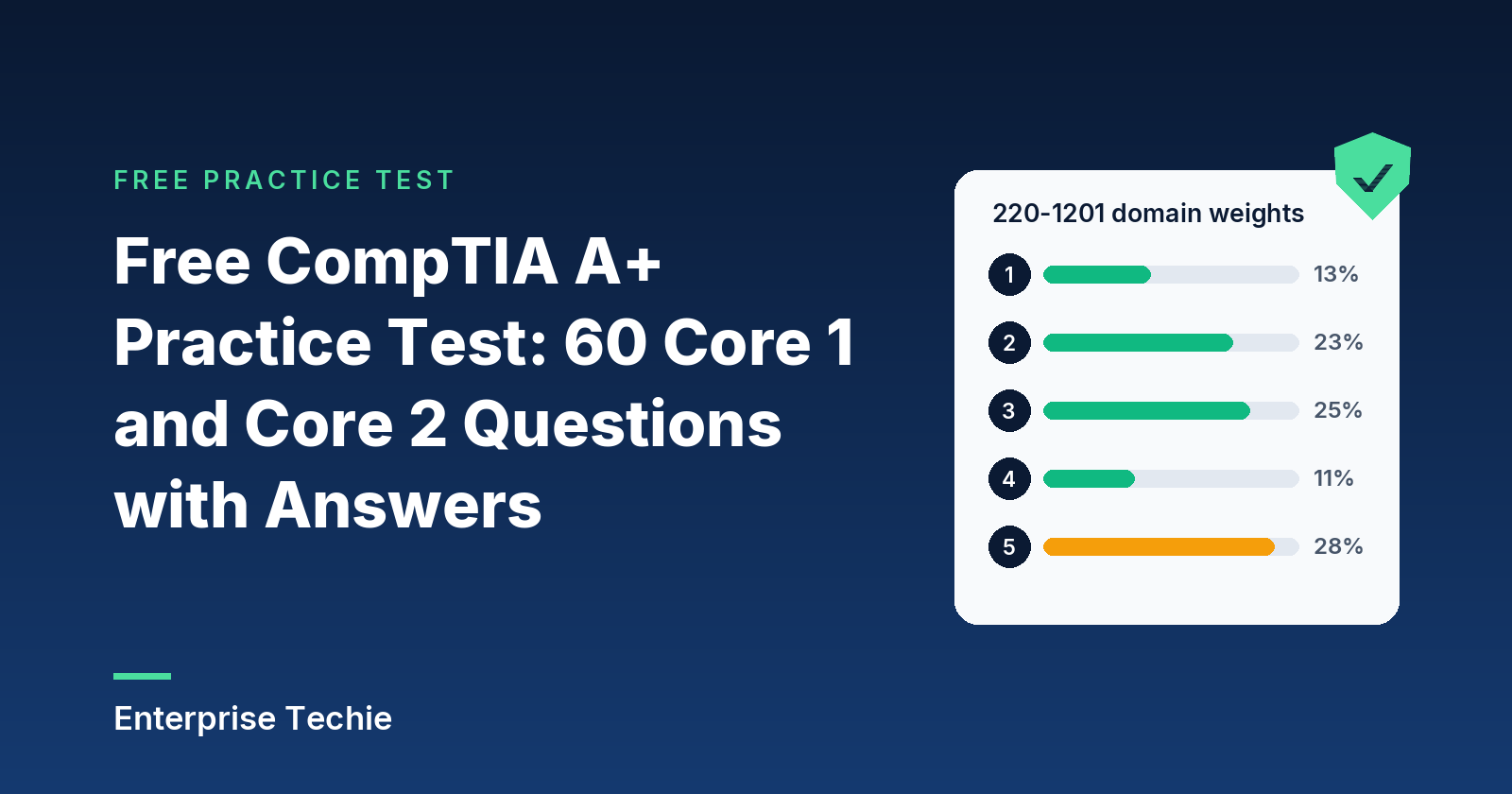
The 30 questions cover all 5 exam domains. Open an answer to see the explanation.
| Domain | Questions here |
|---|---|
| Mobile Devices | 4 |
| Networking | 7 |
| Hardware | 8 |
| Virtualization and Cloud Computing | 3 |
| Hardware and Network Troubleshooting | 8 |
A customer asks how worn their iPhone's battery is. Which path in iOS shows the battery's maximum capacity and whether it supports normal peak performance?
- Settings > General > Storage > Battery Capacity
- Settings > Privacy & Security > Battery Monitor
- Settings > Battery > Battery Health
- Settings > Accessibility > Battery Status
Show the answer
Answer: C. Apple documents Settings > Battery > Battery Health as the screen that reports maximum capacity and peak performance capability. The other paths are not where iOS reports battery condition.
A customer's iPhone 14 has completed about 520 full charge cycles, and Battery Health reports 79 percent maximum capacity. The phone is not swollen and charges normally. What is the most accurate assessment?
- This matches Apple's 80 percent after 500 cycles design target for iPhone 14 and earlier, so it is normal wear and replacement is the remedy
- A software fault is inflating the cycle count, and restoring iOS from a backup will bring the capacity back to 100 percent
- The battery is defective, because no iPhone battery should lose any capacity before it reaches 1,000 complete cycles
- The loss proves the customer charged the phone above 35 C, which is the only condition that can age a lithium-ion battery
Show the answer
Answer: A. Apple says all rechargeable batteries are consumables, and iPhone 14 models and earlier are designed to keep 80 percent after 500 complete cycles. The 1,000-cycle figure applies to iPhone 15 models, a restore cannot reverse chemical aging, and heat is only one of several aging factors.
Apple says iOS can apply performance management when an aged battery causes unexpected shutdowns. Which two effects might the customer notice? (Choose two.)
- Slower app launches
- Reduced GPS location accuracy
- A dimmer backlight
- Poorer voice call quality
Show the answer
Answers: A and C. Performance management can slow app launches, lower frame rates, dim the backlight, and reduce speaker volume. Apple states that call quality, photo and video quality, GPS, and location accuracy are not affected.
A technician will keep a spare iPhone in a cabinet for about eight months. Which preparation follows Apple's guidance for long-term lithium-ion battery storage?
- Charge it to 100 percent, power it off, and leave it untouched in a cool cabinet until it is needed again
- Drain it to 0 percent, power it off, and store it in a warm room so that the cells stay fully dried out for the months ahead
- Leave it at 100 percent and plugged into a charger the whole time so the battery never self-discharges
- Charge it to about 50 percent, power it off, keep it cool and dry, and recharge to 50 percent every six months
Show the answer
Answer: D. Apple advises storing a battery at about 50 percent charge, powered down, in a cool dry place, and recharging to 50 percent every six months for longer storage. A full discharge can leave the battery unable to hold a charge, and a long-term full charge or heat reduces capacity.
A branch office firewall currently permits only HTTP. Staff report that the HR portal, which requires an encrypted browser session, will not load. Which TCP port must be opened?
- 80 (HTTP)
- 25 (SMTP)
- 443 (HTTPS)
- 143 (IMAP)
Show the answer
Answer: C. HTTPS is registered on port 443. Port 80 is cleartext HTTP, which is already allowed and does not carry the encrypted session. Port 25 is SMTP mail transfer and port 143 is IMAP mail retrieval.
A network engineer replaces Telnet with a protocol that encrypts the remote command-line session to a managed switch. Which port will the engineer allow in the management ACL?
- 23 (Telnet protocol)
- 3389 (RDP)
- 22 (Secure Shell)
- 21 (FTP control)
Show the answer
Answer: C. The Secure Shell protocol is registered on port 22. Port 23 is Telnet, the protocol being replaced. Port 21 is the FTP control channel and port 3389 is Remote Desktop, a graphical Windows session rather than a switch command line.
A technician maps a network drive to \\fileserver\finance from a Windows 11 laptop on another VLAN, and the connection times out. A firewall sits between the VLANs. Which TCP port must the firewall permit for the SMB file share?
- 110
- 445
- 389
- 3389
Show the answer
Answer: B. Microsoft lists SMB on TCP 445 (and 139 for NetBIOS session service). Port 389 is LDAP directory queries, port 3389 is Remote Desktop, and port 110 is POP3 mail retrieval.
A user at home enables Remote Desktop on a Windows 11 Pro PC and asks the technician to create a port forward on the home router so the PC can be reached from outside. Which default port is forwarded?
- 443 (HTTPS)
- 3389 (RDP)
- 389 (LDAP)
- 445 (SMB)
Show the answer
Answer: B. Microsoft's Remote Desktop documentation states that 3389 is the default port used by Remote Desktop connections. Port 445 is SMB, port 389 is LDAP, and port 443 is HTTPS, none of which Remote Desktop uses by default.
Two company mail servers must exchange messages with each other across the internet. Which protocol and well-known port handle server-to-server mail transfer?
- SMTP on TCP 25
- LDAP on TCP 389
- IMAP on TCP 143
- POP3 on TCP 110
Show the answer
Answer: A. SMTP (Simple Mail Transfer Protocol) is registered on port 25 and moves mail between servers. POP3 and IMAP are used by clients to retrieve mail from a mailbox, and LDAP is a directory access protocol.
An administrator is documenting protocols that let a mail client pull messages from a server mailbox. Which two protocols belong on the list? (Choose two.)
- SMTP
- IMAP
- POP3
- LDAP
Show the answer
Answers: B and C. POP3 (port 110) and IMAP (port 143) are the retrieval protocols. SMTP (port 25) transfers mail toward and between servers, and LDAP (port 389) queries a directory, so neither retrieves messages for a client.
A legacy mail client is configured to connect to its server on port 110. Which protocol is the client using?
- LDAP
- POP3
- SMTP
- IMAP
Show the answer
Answer: B. Port 110 is registered to Post Office Protocol version 3. IMAP uses 143, SMTP uses 25, and LDAP uses 389.
A photo studio is buying monitors for retouching work. Two colleagues often review images standing to the left and right of the editor, so the color must stay consistent from the sides. The monitors will also show fixed toolbars all day, and the studio does not want to risk burn-in. Which panel type fits best?
- IPS LCD
- OLED
- VA LCD
- TN LCD
Show the answer
Answer: A. IPS panels give wide viewing angles (often 178 degrees) with consistent, accurate color, and as an LCD technology they carry no burn-in risk. TN panels show noticeable color and brightness shifts off-center. OLED has wide angles but carries a burn-in risk with static elements. VA panels shift color and contrast when viewed from the side.
Which two statements describe VA (vertical alignment) LCD panels? (Choose two.)
- They commonly reach high contrast, around 3,000:1 or higher
- Slower dark-pixel transitions can smear moving objects in dark scenes
- They are historically the fastest LCD choice for competitive gaming
- Each pixel makes its own light and switches fully off to show black
Show the answer
Answers: A and B. VA panels trade speed for contrast: contrast is commonly 3,000:1 or higher, but dark-pixel transitions are slow enough on many models to cause smearing. The fastest-LCD description fits TN panels, and self-lit pixels that switch fully off for black describe OLED, while a VA panel is a backlit LCD.
A small office needs inexpensive monitors for a data-entry team. Speed matters more than appearance, and nobody will look at the screens from an angle or do color-critical work. Which panel type is the budget-friendly, response-focused choice?
- OLED
- TN LCD
- IPS LCD
- Mini-LED LCD
Show the answer
Answer: B. TN is the budget-friendly option when speed is the priority and it has historically been the fastest LCD for competitive gaming, with narrow viewing angles and weaker color as the trade-offs. OLED is the most expensive of the common types, IPS carries a cost premium for color and viewing angle, and Mini-LED adds a local-dimming backlight that raises cost and is aimed at contrast rather than low price.
An OLED monitor has been used for ten hours a day as a dashboard that always shows the same taskbar and sidebar. Users now see a faint, permanent outline of those elements, even on a full-screen white image. Which explanation fits?
- A local dimming zone that is stuck on because the controller is misconfigured
- A VA panel's slow dark transitions leaving a trail behind moving content
- Burn-in from static elements that were on screen for long periods
- A failing backlight inverter that is lighting the screen unevenly
Show the answer
Answer: C. OLED pixels each make their own light, so long-lived static elements can wear those pixels unevenly and leave a lasting ghost image. The monitor has no backlight to fail, and an OLED has no local dimming zones. VA smearing is a transient effect on moving objects, not a permanent outline, and this is not a VA panel.
Which two statements are true of Mini-LED displays? (Choose two.)
- The backlight is made of many small LEDs grouped into local dimming zones
- Every pixel produces its own light and turns off to show black
- There is no burn-in risk because the panel is still an LCD
- Pixel response is faster than OLED because there is no liquid crystal layer
Show the answer
Answers: A and C. A Mini-LED display is an LCD whose backlight is split into thousands of tiny LEDs in local dimming zones, which lifts contrast, and since it is still an LCD it has no burn-in risk. Self-lit pixels describe OLED. Pixel response still depends on the underlying LCD, so it is slower than OLED.
A buyer wants the sharpest text and finest detail from a monitor, so pixel density is the deciding spec. Which option has the highest pixels per inch?
- 34-inch ultrawide, 3440 x 1440
- 27-inch, 2560 x 1440
- 32-inch, 1920 x 1080
- 27-inch, 3840 x 2160
Show the answer
Answer: D. Pixel density is the diagonal resolution in pixels divided by the diagonal size in inches. A 27-inch 3840 x 2160 panel works out to about 163 PPI, matching the spec sheet of a 27-inch 4K monitor. The 34-inch 3440 x 1440 ultrawide is about 110 PPI, the 27-inch 2560 x 1440 panel about 109 PPI, and the 32-inch 1920 x 1080 panel about 69 PPI. More pixels on the same or a smaller screen give higher density.
A gamer compares a 60 Hz monitor with a 120 Hz monitor. What does the refresh rate specification measure?
- How many times per second the panel redraws the image
- How wide a range of colors the panel can reproduce
- How many pixels fit in each inch of the screen
- How many pixels are shown horizontally and vertically
Show the answer
Answer: A. Refresh rate is the number of redraws per second, so 120 Hz shows smoother motion and less flicker than 60 Hz. The horizontal and vertical pixel count is the resolution, the range of reproducible colors is the color gamut, and pixels per inch is the pixel density.
A video editor grading HDR footage wants a monitor that shows a noticeably wider range of colors than a typical web-oriented display. Which specification should the editor compare?
- Viewing angle in degrees from the side
- Percentage coverage of the DCI-P3 color gamut
- Refresh rate in hertz (redraws per second)
- Pixel density in pixels per inch (PPI)
Show the answer
Answer: B. Color gamut is the range of colors a screen can reproduce. sRGB is the everyday web standard, and DCI-P3 is wider (roughly 25 percent), which is why coverage percentages for it matter for video and HDR work. Refresh rate describes motion smoothness, PPI describes sharpness, and viewing angle describes how color holds up off-center.
A help desk technician opens a suspicious email attachment inside Windows Sandbox on a Windows 11 Pro laptop, then closes the Sandbox window. What happens to the files the attachment created?
- They are all discarded, and the next launch starts from a clean instance
- They are copied to the host Downloads folder when the window closes
- They stay in the Sandbox and reappear the next time it is opened
- They are quarantined on the host until antivirus scans them
Show the answer
Answer: A. Windows Sandbox is a disposable VM: closing it deletes all software, files, and state, and each launch is a pristine instance. The other options assume persistence or automatic copying to the host, which Sandbox does not do.
A user on a Windows 11 Home laptop wants to use Windows Sandbox to test unknown utilities, but the feature is not offered. Which change makes the feature available?
- Enable Secure Boot in the firmware setup utility
- Upgrade the laptop to Windows 11 Pro, Enterprise, or Education
- Install the latest optional cumulative update from Windows Update
- Turn on the Windows Subsystem for Linux optional feature
Show the answer
Answer: B. Windows Sandbox is supported on Pro, Enterprise, Pro Education/SE, and Education editions and is not supported on Home. Secure Boot, optional updates, and WSL do not add the feature to Home.
A technician is checking whether a Windows 11 Pro desktop can host Hyper-V virtual machines. Which two requirements must the system meet? (Choose two.)
- A 64-bit processor with second-level address translation (SLAT)
- Windows 11 Home edition with the Hyper-V feature added
- Hardware-assisted virtualization turned on in the BIOS or UEFI
- A discrete graphics card with 8 GB of dedicated video memory
Show the answer
Answers: A and C. Hyper-V needs a 64-bit processor with SLAT and virtualization support (Intel VT or AMD-V) enabled in firmware, plus at least 4 GB of RAM. Hyper-V cannot be enabled on Home editions, and a discrete GPU is not a requirement.
An Inspiron desktop emits two beeps at power-on and shows nothing on screen. Using the manufacturer's beep code guide, what does this code indicate?
- No memory (RAM) was detected, so the memory should be troubleshot
- The CPU has failed and the preboot diagnostic should be run
- The CMOS battery has failed and should be reseated
- The video card or video chip has failed and should be replaced first
Show the answer
Answer: A. Dell's Inspiron desktop table lists two beeps as no memory detected, with the action to troubleshoot the memory. CPU failure is seven beeps, CMOS battery failure is five, and video failure is six.
A technician hears seven beeps from an Inspiron desktop at startup. According to Dell's beep code table, which component is reported as failed?
- The BIOS ROM on the motherboard
- The CPU
- The CMOS battery
- The motherboard chipset
Show the answer
Answer: B. Seven beeps map to CPU failure, and Dell suggests running the Preboot Diagnostic Test. BIOS ROM failure is one beep, chipset is three, and CMOS battery is five.
An Inspiron desktop beeps five times at boot. The technician has already confirmed the RAM and CPU are seated. Which fault and first action match the manufacturer's guidance?
- Memory failure; reseat each DIMM and rerun the memory test
- Video chip failure; install a known-good graphics card, reboot, and retest the system
- CMOS battery failure; reseat that battery, then run the Preboot Diagnostic Test
- BIOS ROM failure; reflash the BIOS from a USB drive and retest
Show the answer
Answer: C. Five beeps are the CMOS battery failure code, and Dell says to reseat that battery and run the Preboot Diagnostic Test if needed. Memory errors are two or four beeps, video is six, and BIOS ROM is one.
A newer OptiPlex reports the beep pattern 1-3-2 and will not complete POST. Dell's guide says this pattern indicates a memory problem. Which action does the guide note may clear it?
- Replacing the CMOS coin cell battery
- Replacing the video card
- Reflashing the system BIOS
- Reseating the memory modules
Show the answer
Answer: D. Dell states that reseating the memory modules may occasionally fix beep code errors, which fits a memory-related pattern. The other parts are not tied to the 1-3-2 pattern.
A Windows PC blue-screens at random and the technician suspects failing RAM. Which method uses the built-in tool to test the memory?
- Run mdsched, choose Restart now and check for problems, and let the test run on reboot
- Run mdsched and choose the option that tests memory in the background while Windows stays open
- Run the disk Error Checking tool from the drive's Tools tab
- Open Event Viewer and clear the MemoryDiagnostics log
Show the answer
Answer: A. Windows Memory Diagnostic is started with mdsched and runs after the PC restarts. Disk Error Checking tests the drive, not RAM, and clearing a log tests nothing.
After a Windows Memory Diagnostic run, the technician misses the results notification and opens Event Viewer. The MemoryDiagnostics-Results entry shows Event ID 2001. What does that mean?
- Memory errors were found and a module must be replaced
- No memory errors were detected
- The test was cancelled before it finished
- The test must be repeated with the Extended mix
Show the answer
Answer: B. Microsoft says Event ID 2001 means no memory errors were detected. It does not report errors or a cancelled run, and Extended is an optional, more thorough run, for example when Standard shows no issues.
On the Windows Memory Diagnostic screen, a technician wants the more thorough test instead of the default Standard run. What does the technician do?
- Press F8 and select Extended from the boot menu
- Press Esc to cancel and restart in Safe Mode
- Press F1, change Test Mix to Extended, then press F10
- Press F10 first, then press F1 to confirm the Standard test mix again
Show the answer
Answer: C. The tool runs Standard by default. F1 opens the options so Test Mix can be switched to Extended, and F10 applies it. The other key sequences do not change the test mix.
A self-built PC boots, then shuts itself down after a short time, and the reported CPU clock is lower than expected. Which cause is most consistent with these symptoms?
- A drained CMOS battery that resets the date
- A failed video card that produces no display
- A nearly full system drive
- CPU overheating from a cooling problem
Show the answer
Answer: D. Intel lists automatic shutdown after a short time and a lower than expected operating frequency as overheating symptoms. A dead CMOS battery affects the clock and settings, a video fault affects the display, and a full drive does not shut the system down.
A+ Core 2 (220-1202): the 10-question quick check
Free quick check · CompTIA A+ Core 2 (220-1202)
10 random questions, scored at the end
Ten questions drawn at random from the 30 below. Each answer shows the explanation, and the score at the end can be shared. Nothing is saved and there is no sign-up.
All 30 A+ Core 2 (220-1202) practice questions with answers
The 30 questions cover all 4 exam domains. Open an answer to see the explanation.
| Domain | Questions here |
|---|---|
| Operating Systems | 9 |
| Security | 8 |
| Software Troubleshooting | 7 |
| Operational Procedures | 6 |
A technician copies a 6 GB disk image to a USB flash drive that was formatted as FAT32, and the copy fails with a size error even though the drive has plenty of free space. What explains the failure?
- FAT32 limits any single file to 4 GiB
- FAT32 caps each file name at 32 characters
- FAT32 requires ACLs before large writes
- FAT32 allows only 16 TB volumes at any size
Show the answer
Answer: A. FAT32 has a 4 GiB maximum file size, so a 6 GB image cannot be stored as one file regardless of free space. Its file names can use up to 255 Unicode characters, so the name length idea is wrong. The 16 TB figure belongs to NTFS with 4 KB clusters, and FAT32 has no ACL support at all.
A technician is evaluating ReFS as a replacement for NTFS on a Windows workstation. Which two NTFS capabilities are unavailable on ReFS? (Choose two.)
- Serving as the bootable system volume
- Volume encryption with BitLocker
- Being used on removable media
- Access control lists on files and folders
Show the answer
Answers: A and C. Microsoft's ReFS comparison marks bootable and supported on removable media as unavailable on ReFS while NTFS has both. BitLocker encryption and access control lists are supported on both file systems, so neither is a difference.
A designer needs a single 512 GB external SSD that a Mac and a Windows PC can both read and write. Which format should she choose in macOS Disk Utility?
- MS-DOS (FAT)
- ExFAT
- APFS (Encrypted)
- APFS
Show the answer
Answer: B. Apple's Disk Utility guidance lists ExFAT for Windows volumes larger than 32 GB. MS-DOS (FAT) is for Windows volumes of 32 GB or less, and APFS in either plain or encrypted form is a Mac format, and Apple's guidance for disks used with Windows lists only MS-DOS (FAT) and ExFAT.
In October 2026 a small office still runs several Windows 10 Pro 22H2 PCs, and the owner asks about vendor support. Which statement matches Microsoft's published lifecycle?
- Pro keeps receiving security updates until 2027 on a longer cycle
- Only Home reached end of support, while Pro stays in mainstream support
- Support ended October 14, 2025, and 22H2 was the final version
- Installing version 23H2 would return the PCs to a supported status
Show the answer
Answer: C. Microsoft's lifecycle page says Windows 10 reached end of support on October 14, 2025, for all Home, Pro, Pro Education and Pro for Workstations releases, and that 22H2 is the final version. There is no 23H2 for Windows 10 and Pro does not follow a longer cycle.
The Linux filesystems manual page describes a journaling filesystem developed by SGI that was integrated into Linux 2.4.20. Which filesystem is it?
- ext4
- vfat
- ntfs
- xfs
Show the answer
Answer: D. The manual page credits xfs to SGI as a journaling filesystem. ext4 is described as an upgrade to ext3, vfat adds long file names to the MS-DOS filesystem, and ntfs is the native Windows NT filesystem.
An internal data volume on a Windows file server must record file owners, enforce per-user permissions through ACLs, and provide built-in compression. Which file system meets all three needs?
- FAT32
- NTFS
- UDF
- exFAT
Show the answer
Answer: B. The Windows file system comparison shows NTFS tracking file owners, supporting access control lists, and offering built-in compression. exFAT, FAT32 and UDF lack all three of those features.
A storage engineer wants a Windows volume that checksums metadata and optionally file data, and that can repair detected corruption online when paired with a mirror or parity Storage Space. Which file system provides that?
- ReFS
- exFAT
- NTFS
- FAT32
Show the answer
Answer: A. ReFS integrity streams checksum metadata and optionally file data, and with Storage Spaces mirror or parity it repairs corruption using the alternate copy while online. exFAT only checksums metadata and has no self-repair, NTFS relies on metadata-only journaling, and FAT32 has no checksums.
A technician is partitioning a GPT disk for a UEFI-based PC. Which file system must the EFI System Partition use?
- NTFS volume
- ReFS volume
- FAT32
- exFAT volume
Show the answer
Answer: C. Microsoft requires the EFI System Partition to be formatted as FAT32, with at least 200 MB on 512-byte sector drives. The Windows partition uses NTFS, but NTFS, exFAT and ReFS are not valid for the ESP.
A technician runs mbr2gpt /convert on a laptop that supports UEFI, and the tool reports success. At the next restart the laptop will not boot. Which required step was missed?
- Deleting the new EFI system partition
- Running the conversion again with /validate
- Reformatting the Windows partition as FAT32 first
- Switching the firmware to boot in UEFI mode
Show the answer
Answer: D. After conversion the disk is GPT and can only boot in UEFI mode, so the firmware must be reconfigured from legacy BIOS to UEFI. FAT32 is only for the system partition, the new EFI system partition is what makes the disk bootable, and /validate only checks eligibility.
A help desk technician's only duty is resetting passwords for accounts in the Sales department. Which permission assignment best applies the principle of least privilege?
- Delegate the password reset right on the Sales organizational unit only
- Add the technician to the Domain Admins group so no ticket is ever blocked
- Grant read and write access to every user object in the directory for flexibility
- Give the technician the shared administrator password and rotate it each quarter
Show the answer
Answer: A. A gives the technician the minimum authorization needed for the assigned task and nothing more. B grants far more power than the job requires. C exposes accounts outside Sales. D shares a highly privileged credential, which is broader than needed and hard to attribute.
Which statement describes the core assumption behind the Zero Trust model?
- Traffic inside the corporate network is trusted once a user passes the edge firewall
- Access is decided once at sign-in and cached for the whole working day
- Devices on the corporate VLAN are exempt from per-request authorization checks
- The network is assumed compromised, so each request is evaluated on its own
Show the answer
Answer: D. D matches Zero Trust, which makes accurate, least-privilege access decisions per request and assumes the network is compromised. A describes a perimeter model. B ignores changing risk during a session. C grants implicit trust based on network location, which Zero Trust rejects.
Which description best fits an access control list (ACL)?
- A chronological record of every sign-in attempt on the system, kept for audits
- A rule set that encrypts data on a volume until the correct key is supplied
- A list of the entities allowed to use a resource and the access each has
- A directory of enrolled devices that an administrator can wipe remotely
Show the answer
Answer: C. C is the standard definition: an ACL enumerates the entities that may access a resource along with their access rights. A describes an audit log. B describes disk encryption. D describes a mobile device management inventory.
A phone authenticator app displays a six-digit code that changes every 30 seconds. Which mechanism generates this code?
- Time-based one-time password (TOTP) from a shared secret and the time
- HOTP, which advances an event counter each time the user presses a button
- A code delivered by SMS through the telephone network on each sign-in
- A Kerberos service ticket that the authenticator renews twice a minute
Show the answer
Answer: A. A is correct because TOTP replaces the HOTP event counter with a value derived from the time, using a 30 second step by default (RFC 6238). B is counter-based and changes only on an event, not on a clock. C is delivered over the PSTN rather than computed on the device. D confuses authentication tickets with one-time codes.
Under NIST SP 800-63B-4, which two statements about out-of-band authentication are correct? (Choose two.)
- Email must not be used for out-of-band authentication
- Because SMS codes expire quickly, they count as phishing-resistant authentication
- Sending the secret by SMS or voice uses the restricted PSTN, so an alternative must be offered
- A verifier should accept the same out-of-band secret repeatedly while it remains valid
Show the answer
Answers: A and C. A and C reflect the guidance: email is prohibited, and PSTN delivery is the one restricted authenticator, so subscribers need an unrestricted option. B is wrong because expiry does not bind the code to the real verifier. D is wrong because secrets are meant to be accepted only once for replay resistance.
A contractor needs Global Administrator rights for a two-hour maintenance window. Policy allows no standing privileged access, and activation must require MFA and a manager's approval. What should the administrator configure?
- A permanent active role assignment, removed by hand once the window closes
- Membership in a security group that inherits the role with no expiration date
- The break-glass account credentials, shared with the contractor for that afternoon
- An eligible Privileged Identity Management role assignment requiring approval and MFA
Show the answer
Answer: D. D delivers just-in-time access: the user is only eligible, and must activate the role for a limited time after MFA and approval. A leaves standing privilege that depends on someone remembering to remove it. B makes the privilege permanent through group inheritance. C shares an emergency credential and defeats accountability.
Compliance wants to warn employees, and optionally block them, when they try to copy files containing Social Security numbers to a USB flash drive. Which control fits?
- BitLocker device encryption turned on for each laptop's system drive
- A DLP policy that audits or restricts copying sensitive items to USB drives
- A RADIUS server that authenticates devices connecting to wired switch ports
- A mantrap installed at the entrance to the records storage room for badge entry
Show the answer
Answer: B. B is the purpose of DLP: policies identify sensitive content and take protective actions such as warning, blocking, or restricting copy to USB. A protects data at rest if a device is lost but does not control what users copy. C controls network access, not content. D is a physical control with no effect on file copying.
Employees must sign in once and then open many cloud apps without typing credentials again. The apps trust a central identity provider using an XML-based federation standard. Which approach is this?
- Separate local accounts in each app, synchronized nightly by a script
- Single sign-on using SAML 2.0 federation with an identity provider
- TACACS+ authentication performed by every application server
- One shared service account that all employees use for every app
Show the answer
Answer: B. B matches the description: the identity provider verifies the user once and asserts identity to apps through SAML, an XML-based standard. A multiplies credentials instead of reducing them. C is a device administration protocol, not an app federation method. D destroys individual accountability.
A technician switches a desktop's storage controller mode from legacy to AHCI in UEFI setup. On the next boot, Windows halts with stop code 0x7B INACCESSIBLE_BOOT_DEVICE. What should the technician do first?
- Revert the controller mode change in UEFI setup and boot again
- Run DISM /Online /Cleanup-Image /RestoreHealth from the sign-in screen
- Turn on the Disable Driver Signature Enforcement startup setting
- Increase the page file to the amount of installed RAM plus 257 MB
Show the answer
Answer: A. Stop code 0x7B means Windows lost access to the system partition during startup, and Microsoft lists reverting recent UEFI changes such as the legacy to AHCI switch as a resolution. B cannot work because Windows never reaches a sign-in screen and /Online needs a running OS. C concerns unsigned drivers, not the controller mode. D affects crash dump capacity, not boot device access.
A laptop blue-screens with CRITICAL_PROCESS_DIED after a driver update. Which two general troubleshooting steps does Microsoft list for this stop code? (Choose two.)
- Review the System log in Event Viewer for critical errors near the time of the blue screen
- Run SFC /scannow to repair missing or corrupted system files
- Delete csrss.exe from System32 so that Windows regenerates a clean copy at the next restart
- Set the Windows Time service to disabled so that it cannot restart any critical process
Show the answer
Answers: A and B. CRITICAL_PROCESS_DIED means a critical process such as csrss.exe or wininit.exe terminated, so Microsoft suggests checking the Event Viewer System log for critical errors from the same time window and running SFC /scannow. C would remove a process Windows needs and would not be regenerated that way. D is unrelated, since the Windows Time service is not a critical process.
A graphics workstation repeatedly shows 'Display driver stopped responding and has recovered' and then crashes with stop code 0x116 VIDEO_TDR_FAILURE. Which condition produces that bug check instead of another successful recovery?
- A single GPU stall longer than 2 seconds, even when the display driver resets successfully
- The paging file reaches 100 percent usage while commit charge stays below the commit limit
- The display driver's reset after a GPU timeout fails, or more than five TDR events happen in one minute
- The Windows Time service drifts more than 300 seconds from the domain time source
Show the answer
Answer: C. Timeout Detection and Recovery has a default 2 second timeout, and a successful reset only produces the 'has recovered' message. The bug check occurs when the reset fails or, by default, when more than five TDRs occur within a minute. A is the normal recoverable case. B is not a TDR trigger. D describes time drift, which does not cause TDR.
A custom-built desktop that was recently switched to an overclocked profile crashes at random with WHEA_UNCORRECTABLE_ERROR (0x124). Which action addresses the most likely cause?
- Rebuild the boot files with bcdboot from the Windows recovery environment
- Disable the overclock, confirm the cooling fans work, and run memory diagnostics
- Raise the page file maximum to three times installed RAM so the dump completes
- Reinstall the display driver because 0x124 is raised only by graphics timeouts
Show the answer
Answer: B. WHEA_UNCORRECTABLE_ERROR signals a fatal hardware error, typically heat, defective hardware or memory, or a failing processor, and Microsoft advises disabling overclocking, checking cooling, and testing memory. A fixes boot files, which are not at fault. C concerns dump size, not the crash cause. D is wrong because the code covers many hardware error sources, not just graphics.
After a vendor's docking-station driver was installed, a laptop crashes with DRIVER_POWER_STATE_FAILURE (0x9F) only when it enters or resumes from sleep. Which step helps isolate the problem without a kernel debugger?
- Run chkdsk /r on the boot volume to repair damage to the file allocation table
- Resynchronize the clock with w32tm /resync so that power requests complete in time
- Run Windows Memory Diagnostic because 0x9F is raised only by failing RAM modules
- Temporarily turn off power-saving options in Power Options and see whether the crashes stop
Show the answer
Answer: D. 0x9F means a driver is in an inconsistent or invalid power state, and Microsoft suggests temporarily disabling power save, then updating or removing recently added drivers and checking for firmware updates. A targets file system damage. B has nothing to do with driver power requests. C is wrong because the code is driver related, not exclusively memory related.
A desktop stops at boot with UNMOUNTABLE_BOOT_VOLUME (0xED), and Startup Repair did not fix it. From the Windows Recovery Environment command prompt, which command attempts to repair the file system on the Windows volume, assuming it is mounted as D:?
- Dism /Online /Cleanup-Image /ScanHealth against the running Windows installation
- w32tm /resync /rediscover to correct the timestamps stored on the volume
- chkdsk D: /r, which locates bad sectors and repairs file system errors
- sc.exe config storahci start= disabled to stop the driver mounting the volume
Show the answer
Answer: C. Microsoft's steps for 0xED are Startup Repair, then CHKDSK /r from the recovery environment, then the bootrec command for the master and boot records. A uses /Online, which needs a running installation, and ScanHealth only reports. B is a time command. D would disable the storage driver and make the problem worse.
A support team wants every future crash on a shared kiosk to produce its own small file, with older files kept instead of overwritten. Which dump type fits, and where does Windows keep the history?
- Small memory dump, with the files accumulating in the %SystemRoot%\Minidump folder
- Complete memory dump, with each crash adding a new file beside Memory.dmp in %SystemRoot%
- Kernel memory dump, with each crash adding a new dated file in %SystemRoot%\Memory
- No dump setting, because Event Viewer keeps a copy of memory after every crash
Show the answer
Answer: A. A small memory dump creates a new file at each stop error, with a distinct name containing the date, and the history is listed in %SystemRoot%\Minidump. B and C write a single Memory.dmp that the next complete or kernel dump overwrites while the default Overwrite any existing file setting is on. D is wrong because Event Viewer logs events, not memory contents.
A managed print vendor commits in writing to a four-hour on-site response for failed devices and to monthly uptime reports. Which document records this commitment between the vendor and the organization?
- Standard operating procedure for printer replacement
- Service-level agreement with the vendor
- Incident report for the failed devices
- Knowledge base article on printer drivers
Show the answer
Answer: B. NIST describes a service-level agreement as a commitment between a service provider and its customers covering responsibilities, expected performance, and reporting and resolution requirements, which is B. A documents internal steps, C records one event, and D gives how-to guidance rather than a commitment.
After a laptop fails a compliance scan, a security analyst must contact the person accountable for administering it. Which element of the asset inventory record makes that possible?
- Warranty expiration date of the laptop
- Procurement purchase order number
- Assigned user or responsible owner
- Installed operating system build number
Show the answer
Answer: C. NIST CM-8(4) says the component inventory should identify the individuals responsible and accountable for administering each component so they can be contacted when action is needed, which is the assigned user in C. A, B, and D describe the asset but name no one to contact.
A technician replaces a failing SSD in a workstation during a repair visit. According to NIST inventory guidance, when should the asset inventory be updated?
- As part of the installation and removal work itself
- At the next scheduled annual hardware audit
- Only after the vendor warranty claim for the drive is closed
- When the service desk manager reviews the ticket
Show the answer
Answer: A. NIST CM-8(1) calls for updating the component inventory as part of component installations, removals, and updates, so A is correct. Waiting for B, C, or D leaves the record wrong in the meantime, which NIST says raises the chance that changes are never captured.
An employee's last day is today, and policy requires all of their access to end by close of business. Which two actions belong on the user off-boarding checklist? (Choose two.)
- Disable the user's accounts and revoke their credentials and tokens
- Keep the account active for 30 days so the manager can read mail
- Retrieve the issued laptop, access badge, and hardware token
- Reassign the laptop to a new hire before the old data is secured
Show the answer
Answers: A and C. NIST PS-4 calls for disabling system access, revoking authenticators and credentials, and retrieving system-related property such as tokens, keys, and ID cards, which are A and C. B contradicts the stated policy by leaving access open, and D hands off a device before the departing user's data and accountability are settled.
A new employee starts Monday morning. When should the account, group, and application setup on the onboarding checklist be completed so the employee is productive immediately?
- During the first week, as access requests arrive
- After the employee reports the first missing access
- At the first quarterly access review run by the auditors
- Before the start date, so everything is ready on day one
Show the answer
Answer: D. Microsoft's joiner process aims for new users to be ready on day one with the correct access, group memberships, and applications, which is D. A, B, and C all delay access and leave a new hire unproductive.
A service desk ticket is waiting on a reply from the user, and the team does not want that waiting time to count against the ticket's resolution SLA. Which SLA capability in Dynamics 365 Customer Service is designed for this?
- Allow pause and resume, tied to on-hold statuses
- Business hours, so the clock runs only on weekdays
- Warning duration, set to null on the SLA item
- Applicable-when conditions based on case priority
Show the answer
Answer: A. Pause and resume stops the SLA timer while a record is in an on-hold status, which fits A. B only limits which hours are counted, so a wait during business hours still counts. C merely removes the warning notification, and D decides when an SLA applies, not whether its clock runs.
Frequently asked questions
Are these real A+ exam questions?
No. They are original practice questions written to the 220-1201 and 220-1202 exam objectives, not questions taken from the real exam.
How many questions are on the CompTIA A+ Core 1 exam?
A maximum of 90, a mix of multiple-choice and performance-based questions, with 90 minutes to answer them, according to CompTIA's 220-1201 exam objectives.
What is the passing score for 220-1201?
675 on a scale of 100 to 900, according to CompTIA's exam objectives.
How many questions are on the CompTIA A+ Core 2 exam?
A maximum of 90, a mix of multiple-choice and performance-based questions, with 90 minutes to answer them, according to CompTIA's 220-1202 exam objectives.
What is the passing score for 220-1202?
700 on a scale of 100 to 900, according to CompTIA's exam objectives.
Is the quick check score saved anywhere?
No. The quick check runs in the browser, and nothing is saved or sent. The share buttons create a link that carries only the score.
Sources: the questions come from the Enterprise Techie question bank. Test details are from CompTIA, as cited in the A+ Core 1 study guide and A+ Core 2 study guide. Last checked: November 2026. CompTIA and A+ are trademarks of CompTIA, Inc. Enterprise Techie is not affiliated with or endorsed by CompTIA.