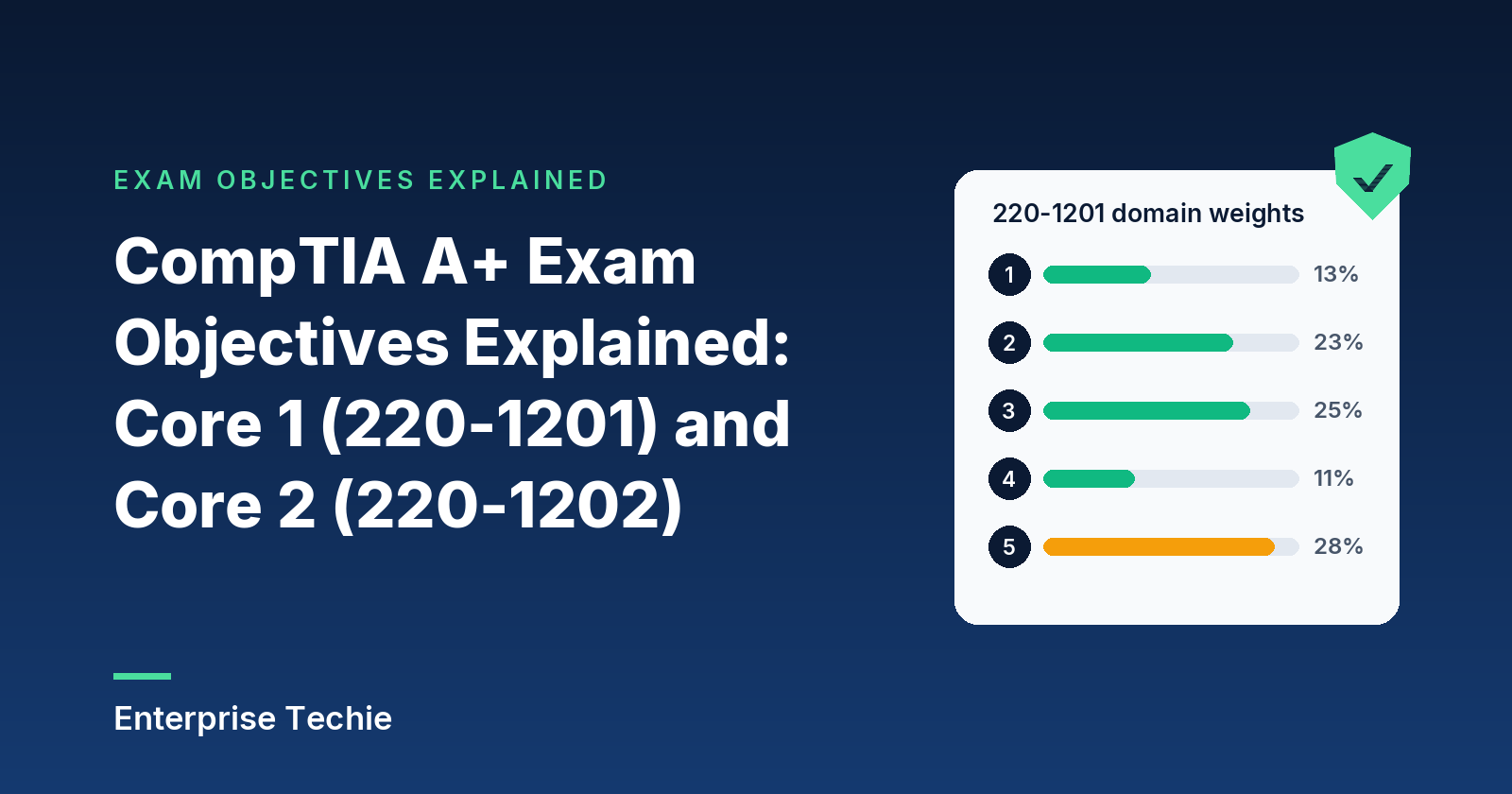
CompTIA publishes an exam objectives document for each A+ exam, and together they are the syllabus for the certification. A+ takes two exams, Core 1 (220-1201) and Core 2 (220-1202), built from 63 objectives between them. This page walks through both documents in plain English: test details, domain weights, what each objective covers, and how to study from the lists.
Both exams belong to A+ version V15, which CompTIA launched on March 25, 2025. Unless another source is named, every fact below comes from CompTIA’s A+ Core 1 V15 and A+ Core 2 V15 exam pages and their exam objectives (document version 4.0 for each).
In this guide
- A+ Core 1 and Core 2 at a glance
- The domains and their weights
- How to read an objective
- Core 1, Domain 1: Mobile Devices
- Core 1, Domain 2: Networking
- Core 1, Domain 3: Hardware
- Core 1, Domain 4: Virtualization and Cloud Computing
- Core 1, Domain 5: Hardware and Network Troubleshooting
- Core 2, Domain 1: Operating Systems
- Core 2, Domain 2: Security
- Core 2, Domain 3: Software Troubleshooting
- Core 2, Domain 4: Operational Procedures
- Where troubleshooting shows up
- How to study the objectives
- Frequently asked questions
A+ Core 1 and Core 2 at a glance
| Core 1 | Core 2 | |
|---|---|---|
| Exam code | 220-1201 | 220-1202 |
| Number of questions | Maximum of 90 | Maximum of 90 |
| Question types | Multiple-choice (single and multiple response), drag-and-drop and performance-based | |
| Time | 90 minutes | 90 minutes |
| Passing score | 675 on a scale of 100 to 900 | 700 on a scale of 100 to 900 |
| Recommended experience | 12 months of hands-on experience as an IT support specialist | |
| Version and launch | V15, launched March 25, 2025; retirement usually three years after launch (CompTIA estimates 2028) | |
Both exams are required. CompTIA’s A+ page says they can be taken in any order, and the exam pages add that both must come from the same version. A+ is valid for three years from the certification date, per CompTIA’s renewal policy.
The domains and their weights
Each core has its own domains and weights. The two right-hand columns are counted from the objectives documents.
| Core 1 (220-1201) domain | Share of exam | Objectives | “Given a scenario” objectives |
|---|---|---|---|
| 1.0 Mobile Devices | 13% | 3 | 2 |
| 2.0 Networking | 23% | 8 | 1 |
| 3.0 Hardware | 25% | 8 | 4 |
| 4.0 Virtualization and Cloud Computing | 11% | 2 | 0 |
| 5.0 Hardware and Network Troubleshooting | 28% | 6 | 6 |
| Total | 100% | 27 | 13 |
| Core 2 (220-1202) domain | Share of exam | Objectives | “Given a scenario” objectives |
|---|---|---|---|
| 1.0 Operating Systems | 28% | 11 | 7 |
| 2.0 Security | 28% | 11 | 6 |
| 3.0 Software Troubleshooting | 23% | 4 | 4 |
| 4.0 Operational Procedures | 21% | 10 | 6 |
| Total | 100% | 36 | 23 |
The exams lean differently. In Core 1, Hardware and Troubleshooting together make up 53 percent. Core 2 has fewer domains but more objectives, and Operating Systems and Security make up 56 percent of it. Across both, 36 of the 63 objectives begin with “Given a scenario”.
How to read an objective
Each objective opens with a verb. Explain, summarize, identify, and compare and contrast mean knowing a concept well enough to recognize it and tell it from its neighbors. “Given a scenario” means applying it: choosing the right tool, setting or next step. Those are the objectives where real equipment pays off most.
Under each objective sits a list of examples, which CompTIA states is not exhaustive: related technologies or tasks can appear on the exam even when unlisted. Both documents end with an acronym list and a sample hardware and software list for a practice lab.
Core 1, Domain 1: Mobile Devices (13%)
Laptops, phones and tablets. Three objectives, two scenario-based.
- 1.1 Mobile hardware (scenario). Replacing the battery, keyboard, memory, storage and wireless cards, plus biometric and near-field sensors, antenna, camera and microphone.
- 1.2 Accessories and connections. USB variants, Lightning, NFC, Bluetooth and hotspots; styluses, headsets, speakers and webcams; docks, port replicators and pointing devices.
- 1.3 Connectivity and app support (scenario). Cellular data, SIM and eSIM, Bluetooth pairing, location services, MDM for corporate and personal devices, and syncing within data caps.
Study note: USB-C names a connector, not a speed. USB-IF states that USB Type-C is not USB 3.2 or USB4. The Core 1 study guide covers each connection method.
Core 1, Domain 2: Networking (23%)
Ports, Wi-Fi, services and small-office networks. Eight objectives, one scenario-based.
- 2.1 Ports and protocols. TCP versus UDP, and common ports from FTP on 20 and 21 to RDP on 3389.
- 2.2 Wireless. The 2.4, 5 and 6 GHz bands, channels and regulations, 802.11 standards, Bluetooth, NFC and RFID.
- 2.3 Network services. Server roles from DNS and DHCP to AAA and NTP, edge appliances, SCADA and legacy systems, and IoT.
- 2.4 Configuration. DNS records including SPF, DKIM and DMARC, DHCP settings, VLANs and VPNs.
- 2.5 Hardware. Routers, switches, access points, patch panels, firewalls, PoE, modems, ONTs and NICs.
- 2.6 SOHO setup (scenario). Private and public IPv4, IPv6, APIPA, static and dynamic addressing, masks and gateways.
- 2.7 Connection and network types. Satellite, fiber, cable, DSL, cellular and WISP service; LAN, WAN, PAN, MAN, SAN and WLAN.
- 2.8 Tools. Crimpers, strippers, testers, toner probes, analyzers, loopback plugs and taps.
Study note: 2.1 lists 14 port entries. Learn each with its transport, since some use both: RFC 1035 runs DNS on UDP and TCP port 53, while RFC 2131 puts DHCP on UDP.
Core 1, Domain 3: Hardware (25%)
PC components and printers. Eight objectives, four scenario-based.
- 3.1 Displays. LCD panel types, OLED and Mini-LED, digitizers and inverters, and attributes such as refresh rate and color gamut.
- 3.2 Cables and connectors. Copper categories and wiring standards, coax, fiber, USB, Thunderbolt, video cables, SATA and eSATA, and connectors from RJ11 to DB9.
- 3.3 RAM. SODIMM and DIMM, DDR generations, ECC and channel configurations.
- 3.4 Storage. Hard drive speeds and sizes, SSD interfaces and form factors, RAID 0, 1, 5, 6 and 10, and removable media.
- 3.5 Motherboards, CPUs and cards (scenario). Form factors, slots, sockets, firmware settings such as Secure Boot, TPM and HSM, CPU architectures, expansion cards and cooling.
- 3.6 Power supplies (scenario). Input and output voltages, the 20+4 pin connector, redundancy, modularity, wattage and efficiency.
- 3.7 Printer and MFD setup (scenario). Placement, PCL or PostScript drivers, connections, sharing, settings, security features and scan destinations.
- 3.8 Printer maintenance (scenario). Care for laser, inkjet, thermal and impact printers.
Study note: DDR4 and DDR5 desktop modules both have 288 pins, according to JEDEC and Kingston; the notch position is what keeps them apart.
Core 1, Domain 4: Virtualization and Cloud Computing (11%)
The smallest domain in either exam: two objectives, neither scenario-based.
- 4.1 Virtualization. Why virtual machines are used, their requirements, VDI, containers, and Type 1 and Type 2 hypervisors.
- 4.2 Cloud computing. Deployment models, IaaS, PaaS and SaaS, and characteristics such as metered use, elasticity and multitenancy.
Study note: most of the cloud vocabulary comes from NIST SP 800-145, whose short definitions of five essential characteristics, three service models and four deployment models cover much of 4.2.
Core 1, Domain 5: Hardware and Network Troubleshooting (28%)
The heaviest Core 1 domain: six objectives, every one scenario-based and built as a list of symptoms.
- 5.1 Boards, RAM, CPUs and power. Beep codes, crash screens, no power, overheating, shutdowns, swollen capacitors and a wrong clock.
- 5.2 Drives and RAID. Clicking and grinding, missing boot devices, failed arrays, S.M.A.R.T. warnings and slow I/O.
- 5.3 Displays and projectors. Wrong inputs, burn-in, dead pixels, color faults, dim images and projector shutdowns.
- 5.4 Mobile devices. Battery health and swelling, charging, liquid damage, digitizers, malware and slowdowns.
- 5.5 Networks. Intermittent or slow links, limited connectivity, jitter, VoIP quality, port flapping and interference.
- 5.6 Printers. Lines, garbled output, jams, fading, misfeeds, stuck queues, ghosting and finisher faults.
Study note: learn each symptom with its likely cause. Two worth memorizing: a 169.254.x.x address is the self-assigned range from RFC 3927, a sign DHCP failed, and Cisco defines jitter as variation in packet delay, a different measure from latency.
Core 2, Domain 1: Operating Systems (28%)
Windows, macOS, Linux and mobile operating systems. Eleven objectives, seven scenario-based.
- 1.1 OS types. Desktop and mobile systems, file systems such as NTFS, ReFS, ext4, APFS and exFAT, vendor life cycles and compatibility.
- 1.2 Installs and upgrades (scenario). Boot methods, install types, GPT and MBR partitioning, and upgrade planning.
- 1.3 Windows editions. Windows 10 and 11 editions, their feature differences, upgrade paths, and TPM and UEFI requirements.
- 1.4 Windows tools (scenario). Task Manager, management console snap-ins such as Event Viewer, and utilities such as Registry Editor.
- 1.5 Command line (scenario). Commands for navigation, networking, disks, files and system management, from ipconfig to sfc.
- 1.6 Windows settings (scenario). Control Panel applets, power and File Explorer options, and the Settings app.
- 1.7 Client networking (scenario). Domains and workgroups, shared resources, firewall and IP settings, connection types, proxies and metered networks.
- 1.8 macOS. App installs, system folders, Apple ID, best practices, system settings and tools such as FileVault and Terminal.
- 1.9 Linux. File, permission, package and network commands, nano, key files under /etc, and systemd and root.
- 1.10 Application installs (scenario). System requirements such as 32- or 64-bit builds, distribution methods and business impact.
- 1.11 Cloud productivity tools (scenario). Email, storage sync, collaboration apps, identity sync and licensing.
Study note: the Core 2 document puts every Windows version still within Microsoft’s mainstream support, up to and including Windows 11, in scope, so objectives that name no version can draw on Windows 10 or Windows 11.
Core 2, Domain 2: Security (28%)
Controls, malware, social engineering and hardening. Eleven objectives, six scenario-based.
- 2.1 Security measures. Physical controls, physical access methods such as smart cards and biometrics, and logical controls from least privilege and Zero Trust to MFA, SSO and DLP.
- 2.2 Windows security settings (scenario). Defender, firewall, accounts and sign-in options, permissions, UAC, BitLocker, EFS and Active Directory tasks.
- 2.3 Wireless security. WPA2, WPA3, TKIP and AES, with RADIUS, TACACS+, Kerberos and multifactor authentication.
- 2.4 Malware. Types from trojans to fileless malware, and detection and removal tools from antivirus to EDR.
- 2.5 Social engineering and threats. Phishing variants, in-person tricks, common attacks and vulnerable systems.
- 2.6 Malware removal (scenario). CompTIA’s ten-step procedure, in order.
- 2.7 Workstation hardening (scenario). Encryption, password rules, account restrictions and disabling AutoRun and unused services.
- 2.8 Mobile security (scenario). Screen locks, encryption, patching, locator apps, remote wipe and MDM policies.
- 2.9 Data destruction. Physical destruction, wiping for reuse, certified third-party disposal and regulations.
- 2.10 SOHO network security (scenario). Router, wireless and firewall settings.
- 2.11 Browser security (scenario). Safe downloads, extensions, certificates and privacy settings.
Study note: in 2.6, order matters. In CompTIA’s sequence for Windows Home, System Restore is turned off before remediation and turned back on, with a new restore point, just before educating the user.
Core 2, Domain 3: Software Troubleshooting (23%)
Four objectives, all scenario-based symptom lists.
- 3.1 Windows. Blue screens, boot failures, services that will not start, crashes, resource warnings and time drift.
- 3.2 Mobile OS and apps. Apps that will not launch, update or install, battery drain, reboots and connectivity.
- 3.3 Mobile security. Risks such as unofficial app stores and jailbreaking, and signs of compromise.
- 3.4 PC security. False antivirus alerts, altered files, failed updates, and browser pop-ups and redirects.
Study note: 3.3 and 3.4 overlap with the Security domain; a symptom such as browser redirects belongs here, and the fix often leads back to 2.6.
Core 2, Domain 4: Operational Procedures (21%)
How support work is run, documented and kept safe. Ten objectives, six scenario-based.
- 4.1 Documentation (scenario). Tickets, asset management, SOPs, onboarding checklists, SLAs and knowledge bases.
- 4.2 Change management (scenario). Rollback plans, change types and windows, risk analysis, approvals and user acceptance.
- 4.3 Backup and recovery (scenario). Backup types, recovery options, testing and rotation schemes.
- 4.4 Safety (scenario). ESD protection, grounding, handling, cable management and personal safety.
- 4.5 Environment. Safety data sheets and disposal, temperature and humidity, and power protection.
- 4.6 Privacy, licensing and policy. Incident response basics, licenses, NDAs, regulated data and acceptable use.
- 4.7 Professionalism (scenario). Communication, punctuality, difficult customers, expectations and confidentiality.
- 4.8 Scripting. Script file types, common uses and risks.
- 4.9 Remote access (scenario). RDP, VPN, VNC, SSH, RMM and other tools, and their security trade-offs.
- 4.10 Artificial intelligence. AI in applications, use policies, limits such as bias and hallucinations, and private versus public AI.
Study note: 4.8 names six script file types: .bat, .ps1, .vbs, .sh, .js and .py. The Core 2 study guide covers this domain in depth.
Where troubleshooting shows up
- Core 1, Domain 5 is hardware and network troubleshooting, 28 percent of Core 1.
- Core 2, Domain 3 is software troubleshooting, 23 percent of Core 2.
- Core 2, objective 2.6 is a step-by-step malware removal procedure.
- The Core 1 document prints CompTIA’s general troubleshooting method but states that the method itself is not tested.
All of those objectives are scenario-based. Fixing a real slow laptop, a stuck print queue or a phone that will not charge builds the judgment they describe.
How to study the objectives
- Turn both documents into checklists. Download them from the Core 1 and Core 2 exam pages and tick off each bullet as it becomes familiar.
- Study one core at a time and split time by weight. In Core 1, Hardware and Troubleshooting are 53 percent; in Core 2, Operating Systems and Security are 56 percent.
- Practice the 36 scenario objectives hands-on. An old PC, a spare phone, a home router and a free virtual machine cover most of them.
- Test against the objectives, then read the explanations. The explanation for a missed question usually teaches more than the question itself.
Practice against these objectives
Try 60 free A+ practice questions with answers and explanations, plus a 10-question quick check scored at the end. No sign-up.
Frequently asked questions
How many exams does CompTIA A+ require?
Two: Core 1 (220-1201) and Core 2 (220-1202). CompTIA says they can be taken in any order, but both must come from the same version.
What are the A+ Core 1 and Core 2 domains?
Core 1: Mobile Devices (13%), Networking (23%), Hardware (25%), Virtualization and Cloud Computing (11%), and Hardware and Network Troubleshooting (28%). Core 2: Operating Systems (28%), Security (28%), Software Troubleshooting (23%) and Operational Procedures (21%).
How many objectives are on the A+ V15 exams?
63 in total: 27 in Core 1 and 36 in Core 2. Thirteen Core 1 objectives and 23 Core 2 objectives begin with “Given a scenario”, meaning they are about applying knowledge to a situation.
What is the passing score for CompTIA A+?
Each exam is scored on a scale of 100 to 900. Core 1 requires 675 and Core 2 requires 700.
Which Windows versions does A+ Core 2 cover?
Any version still within Microsoft’s mainstream support, up to and including Windows 11, according to the Core 2 objectives. Objectives that name no version can include Windows 10 and Windows 11 content.
Does A+ Core 2 cover AI?
Yes. Objective 4.10 covers AI basics: integrating AI into applications, appropriate-use and plagiarism policies, limitations such as bias, hallucinations and accuracy, and private versus public AI.
Is everything on the exam listed in the objectives?
Not every detail. CompTIA notes that the bulleted examples under each objective are not exhaustive, and related technologies or tasks can appear on the exam even if they are not listed.
Sources: CompTIA A+ Core 1 V15 (220-1201) and its exam objectives, document version 4.0; CompTIA A+ Core 2 V15 (220-1202) and its exam objectives, document version 4.0; CompTIA A+; CompTIA renewal policy; USB-IF, RFC Editor, JEDEC, Kingston, NIST and Cisco as linked above. CompTIA and A+ are trademarks of CompTIA, Inc. Enterprise Techie is not affiliated with or endorsed by CompTIA.